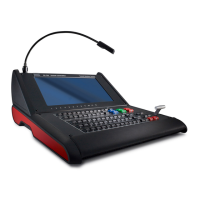
K5905271 /16 Display Controller
33
5.4.3 Configuration
Configuring Conference CloneView
• Add clone configuration: Click this button to define a new clone configuration.
• Clone From and Clone To: Click on one or more source displays in the Clone From list and one or more
target displays from the Clone To list for the session. An active source cannot be used as a target, and an
active target cannot be used as a source.
• Stretch to fill: If this is unchecked, the aspect ratio of the source displays will be preserved. If this is
checked, the cloned image will be stretched to fill the target display(s) with the cloned image.
• Start/Stop: Clicking the Start button activates the clone session, and the button will change to Stop, which
would end the session.
• Remove this configuration: Deletes this configuration.
5.5 DimView™
5.5.1 Description
Overview
The DimView feature reduces ambient light during diagnostic readings by dimming navigational displays when
the cursor is moved off those displays. While the feature is intended for use with navigational heads, it can be
enabled on any display.
Image 5-6
Supported display controllers
DimView is supported on the MXRT-1450 , MXRT-1451, and all MXRT-x500 or later display controllers.
5.5.2 Operation
Using DimView
DimView can be individually enabled on each display. All DimView-enabled displays can operate
independently, or they can be configured to dim and brighten together.
5.5.3 Configuration
Configuring DimView
• Enable DimView for these displays: All displays that support DimView are listed in the configuration
section. Click on the checkbox to enable the feature on that display.
• Dim/brighten selected displays together: When this box is checked, all DimView-enabled displays will
brighten when the cursor is moved onto any one of those displays, and dim only when the cursor is off all
of them.
• Luminance of dimmed displays: This slider bar sets the luminance while dimmed.
5.6 Film Clip
Film Clip is pending medical device clearance and is currently not available in all markets.
Driver and Intuitive Workflow Tools



 To Next Page