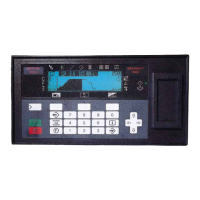
K5905271 /16 Display Controller
34
5.6.1 Description
Overview
Film Clip allows the user to view a physical radiological film by using the I-Luminate™ feature of the display as
a virtual light box.
Image 5-7
Supported display controllers
When driven by an MXRT-x400 or later display controller, Film Clip can be enabled on the MDMG-5221 and
MDMC-12133 displays.
5.6.2 Operation
Using Film Clip
The size and location of the film clip light box are programmable. It has an automatic time-out with a
programmable duration. An optional hotkey can quickly turn the light box on or off.
Supported film sizes for both MDMG-5221 and MDMC-12133 include the 18 cm x 24 cm and 24 cm x 30 cm;
the MDMC-12133 also supports the larger 34 cm x 43 cm size.
5.6.3 Configuration
Configuring Film Clip
• Enable Film Clip hotkey for these displays: All displays that support Film Clip are listed in the
configuration section. Click on the checkbox to launch the feature on that display with the hotkey.
• Timeout: The slider bar sets the time-out period for Film Clip mode.
• Hotkey to enabled Film Clip: Click Clear to remove a hotkey. Click on the hotkey box to enter a new one.
• Position: This sets the location of the light box image on enabled displays.
• Size: This sets the size of the light box image to match the physical film dimensions.
5.7 FindCursor™
5.7.1 Description
Overview
The FindCursor feature provides a method to quickly locate the cursor on a system with multiple displays.
Image 5-8
Supported display controllers
FindCursor is supported on all MXRT-x400 or later display controllers.
Default behavior
FindCursor is enabled by default.
Driver and Intuitive Workflow Tools



 To Next Page