17
Instructions For Use
Assembling the Roll Stand (continued)
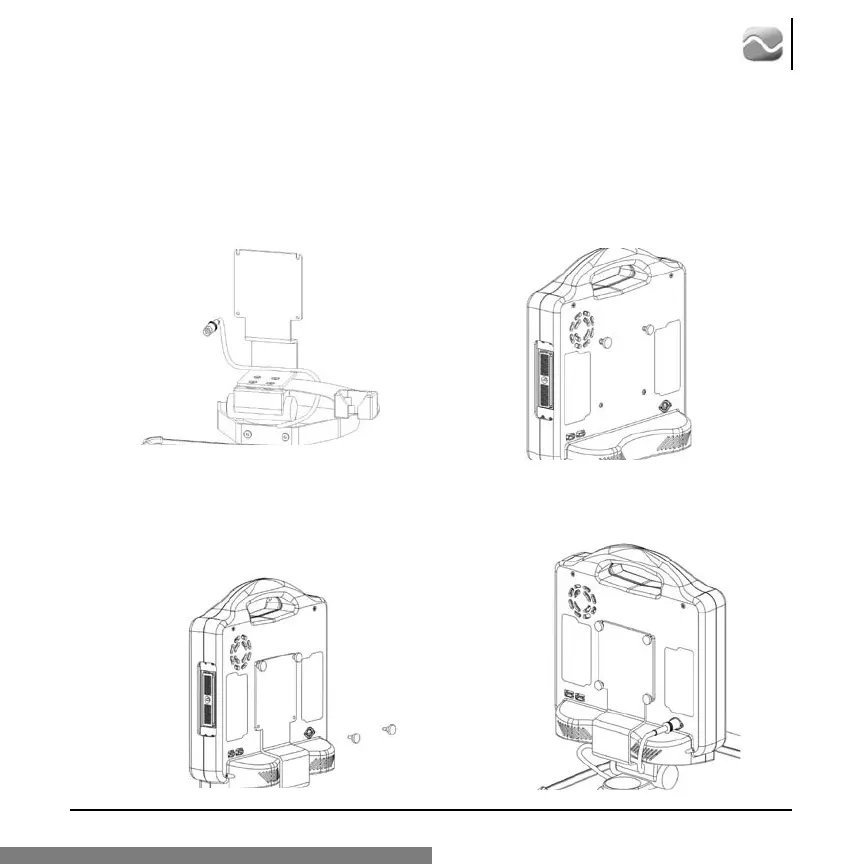
Step 5:
Route cord in the lower rear corner of monitor
mounting plate assembly as shown.
Step 6:
Start two screws in the top two monitor
mounting locations as shown.
Step 7:
Slide monitor onto monitor mounting plate, insert
two screws in lower mounting locations and tighten
all four screws. Be sure that cable is routed below
monitor and moves freely.
Step 8:
Plug in cord as shown.








 To Next Page