49
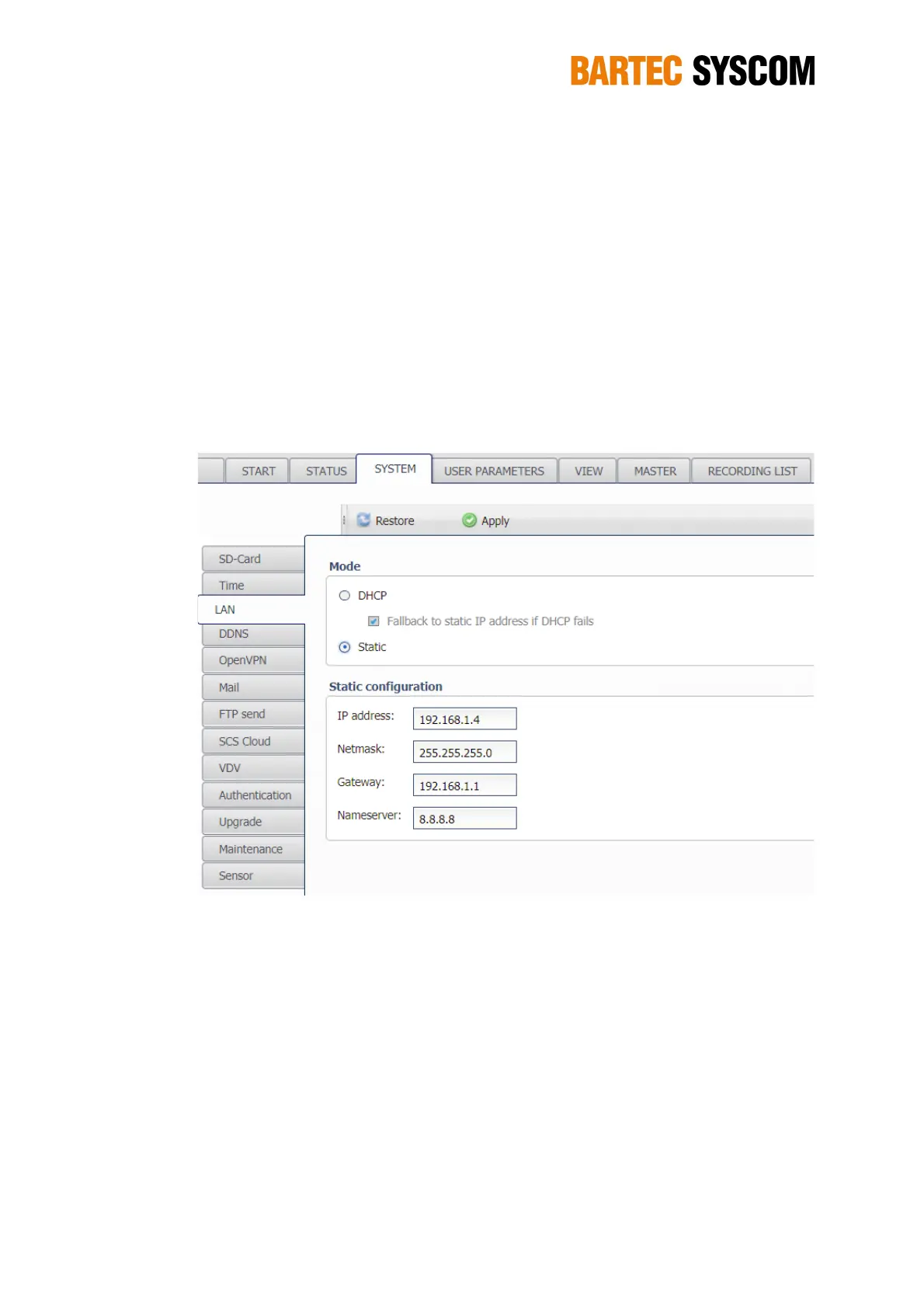
The Netmask is 255.255.255.0 by default, and should remain like this except if you know
exactly what you're doing.
The Gateway address must be filled if you connect the DMS on a network. This is the IP
address of the router.
Same thing for the Nameserver. The default is 8.8.8.8 and should work fine.
NOTE: After you changed the IP address of the DMS and clicked Apply, you're not connected
to the DMS anymore. You need to enter this new IP address in the address bar of
your Web browser in order to reconnect to the WebUI. Check the LCD of the DMS to
know the IP address of the DMS.
Figure 5.3.3. Subsection dedicated to the LAN communication.
5.3.4. DDNS
DDNS stands for Dynamic DNS, a method to update a name server in the Domain Name System.
Without going into technical details, DDNS allows you to communicate with a DMS that is out in the
field where it does neither have a public (accessible from the WEB) nor a static (not changing) IP
address. The router where the DMS is connected to needs a public IP address – this is the case for
most ADSL or cable TV routers you find in private houses. You have to set-up port-forwarding in the
configuration of the router to reach the DMS in the network. The DDNS service makes sure that
you can access your DMS through a persistent domain name (e.g. mymr.dyndns.org).
Communication with the DDNS service needs an Internet connection – check with the PING
function as described in Section 5.3.10.
For further details, please check the web-site of the DDNS service provider of your choice, the
DMS supports the following services:



 To Next Page