55
The synchronization with the cloud software is necessary because certain parameters related to the
measurements can be also modified in the SCS cloud software. These parameters are:
• Name of the device
• Comment
• Trigger levels
• Alarm 1 parameters
• Alarm 2 parameters
• Background settings
During the synchronization, both the MR3000 firmware and the SCS check if the parameters have
been changed. There are three cases:
1. The parameters have been changed only in the firmware → the SCS is updated during
the synchronization;
2. The parameters have been changed only in the SCS → the firmware is updated during
the synchronization;
3. The parameters have been changed in the firmware and in the SCS → the firmware has
the priority, therefore the last values registered in the firmware are uploaded on the SCS
during the synchronization.
For any additional information on the SCS cloud software, please refer to the dedicated page on
the website or visit http://scs.bartec-syscom.com.
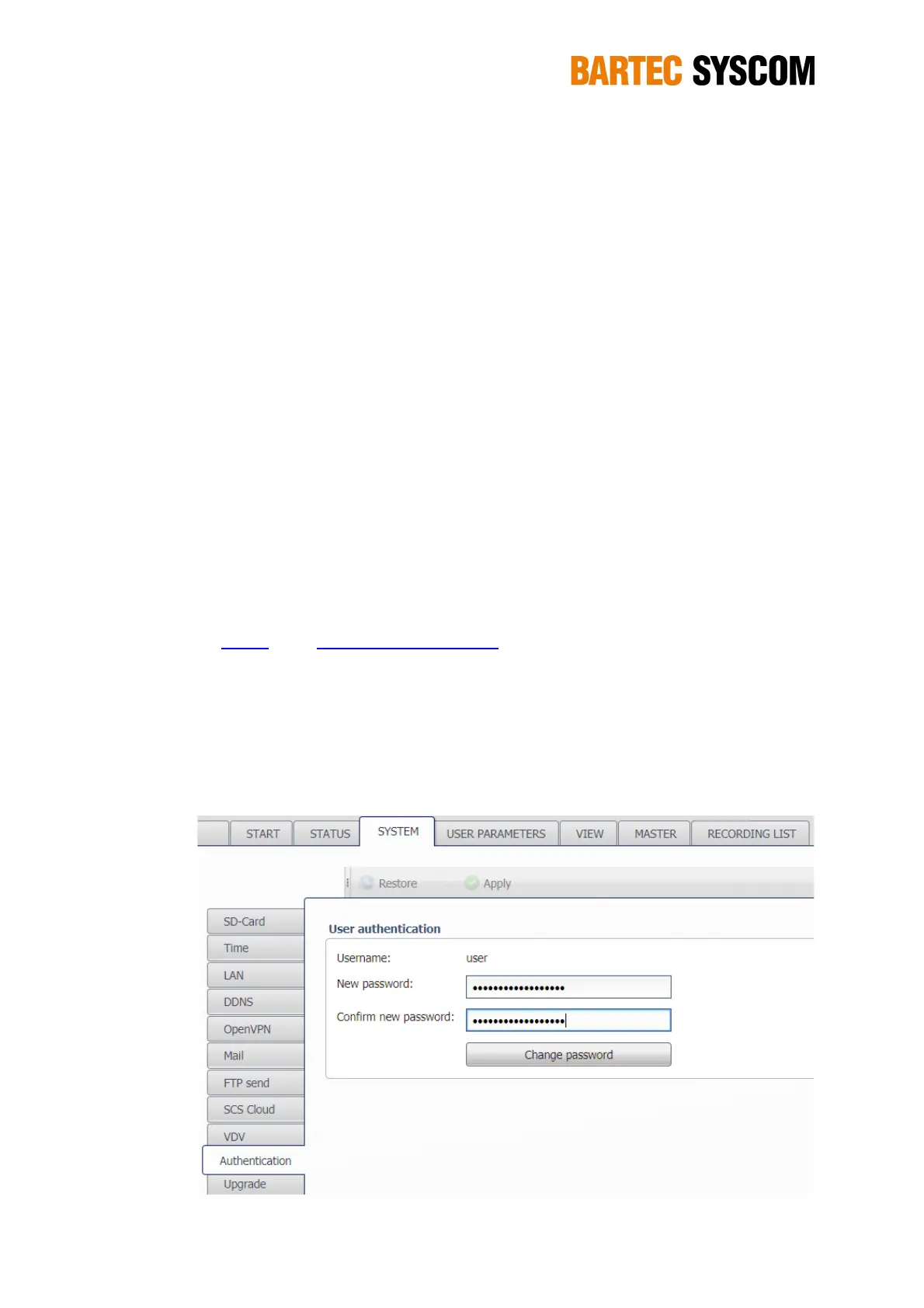
5.3.9. Authentication
Here you can change the password of the DMS. The password is used for the WebUI access and
for the SFTP service (see chapter 4.3.1). By default, the password is the serial number of the DMS
– shown as UID on the Status screen (see chapter 5.2).
Figure 5.3.9. Subsection dedicated to the authentication.
NOTE: please remember your password, if forgotten it is no more possible to access the DMS.



 To Next Page