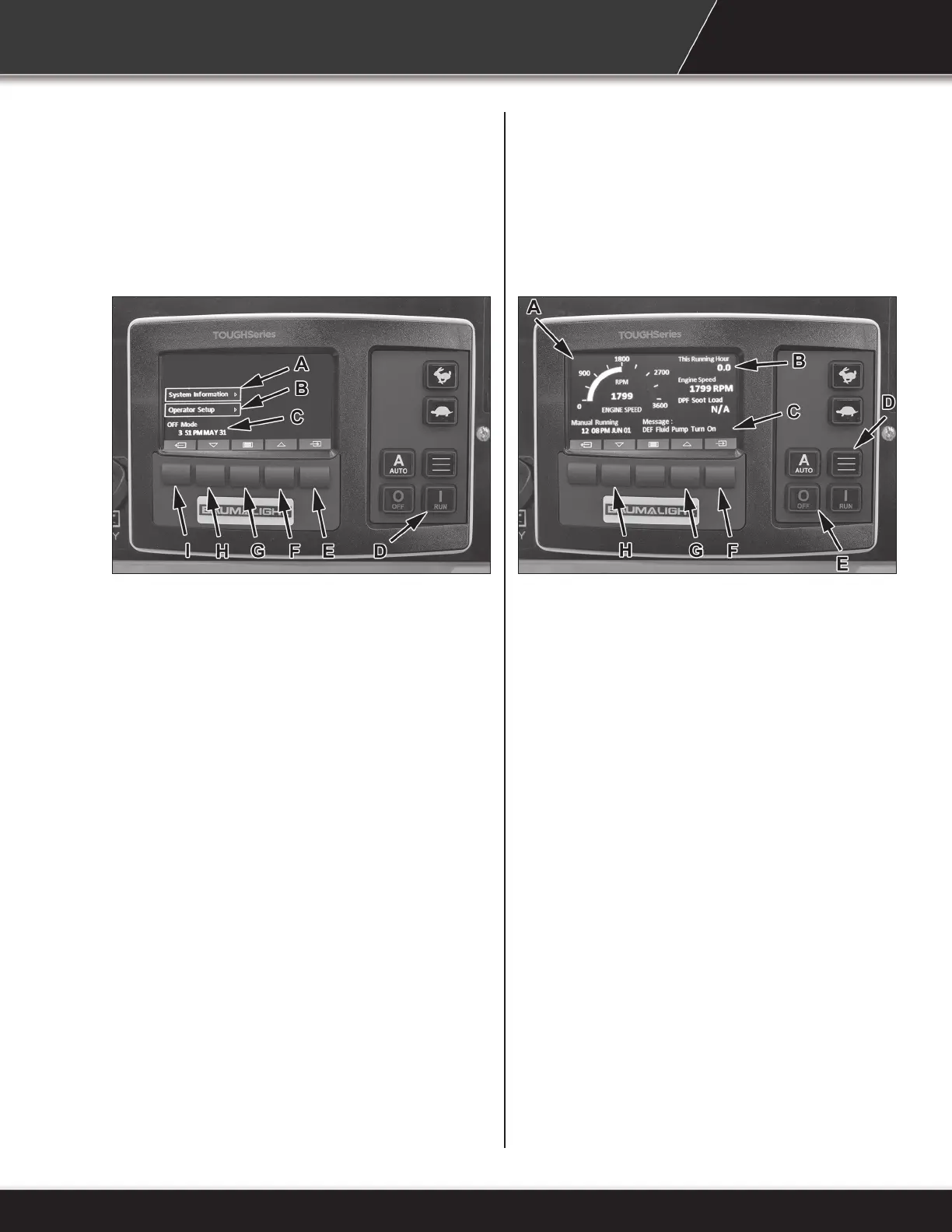
Digital Control Panel - With Engine Off
Note: The auto button and throttle buttons (rabbit
and turtle) are not functional in this application.
A. System Information - Press to view rmware
version, serial number and events log.
B. Operator Setup - Press to view/edit display
options,date and time settings.
C. Date Stamp.
D. Run - Press to start engine.
E. Enter Key/Select.
F. Scroll Up - Press to scroll up the menu.
G. Enter Settings Menu.
H. Scroll Down - Press to scroll down the menu.
I. Back Key - Press to go back one function.
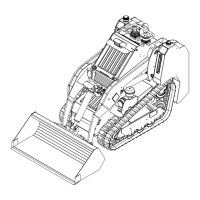
Digital Control Panel - With Engine On
Note: The auto button and throttle buttons (rabbit
and turtle) are not functional in this application.
A. Engine RPM
B. Scrolling Engine Parameters
C. Event Message
D. Display Toggle - Press to show only the battery
voltage, engine temperature and hydraulic oil
temperature. Press F to continue scrolling.
E. Stop - Press to stop engine.
F. Lock/Auto Scrolling Parameters (Changes
back to show all parameters).
G. Scroll Up - Press to scroll up the engine
parameters.
H. Scroll Down - Press to scroll down the engine
parameters.
Engine Throttle
Move the control rearward to increase the engine
speed and forward to decrease speed.
Park Brake
Move switch forward to engage the park brake.
Move switch rearward to release park brake.
27


 To Next Page