TX1500 Manual V3.5 Dec 07 Page 26 of 40 MATRIX PROGRAMMING/USER GUIDE
UP-THE-COAX RECEIVER SPECIFIC PROGRAMMING
To program specific features of Rx100/200/300/400P/400DC up-the-coax receivers, the camera type must be set to
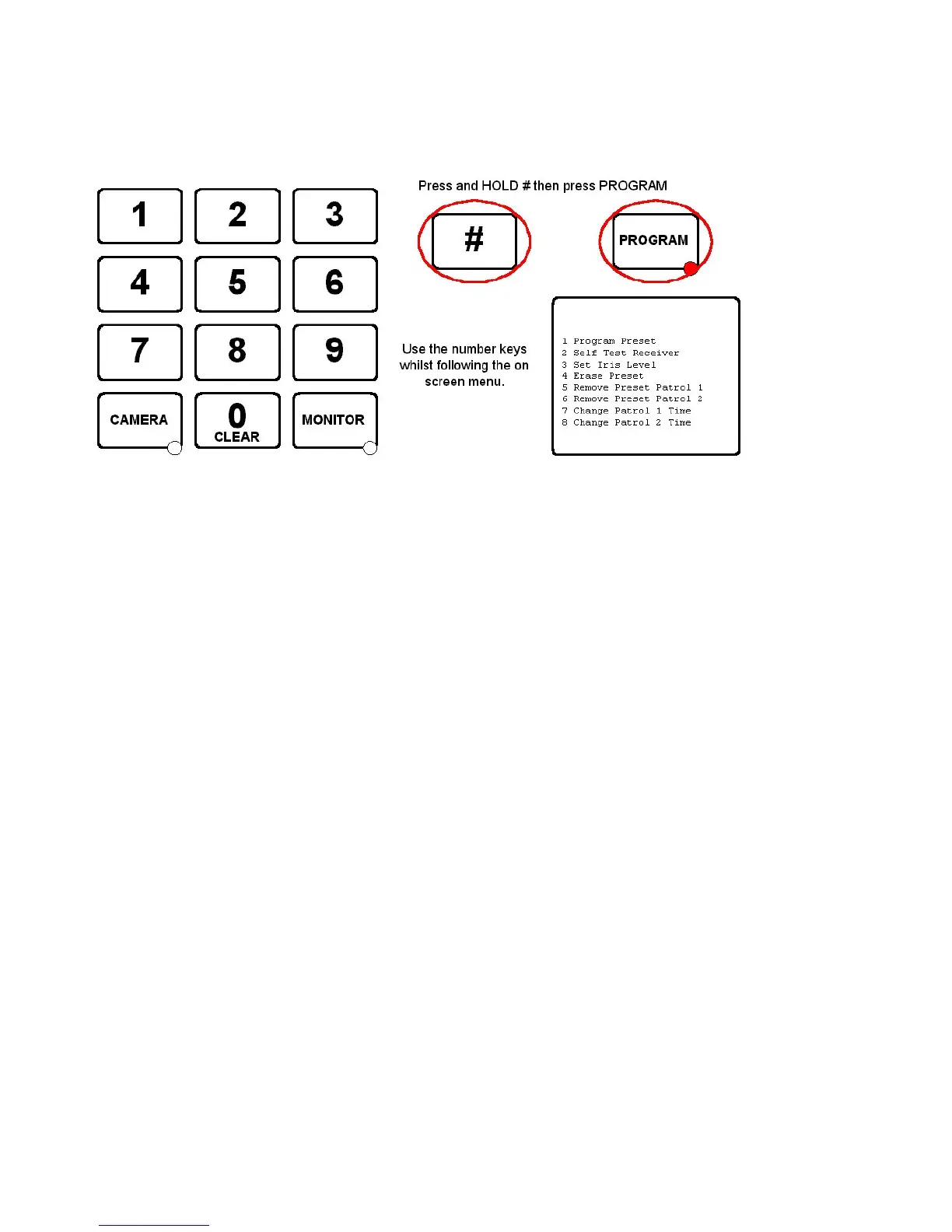
BBV COAX. Press and hold the ‘#’ key and tap the PROGRAM key to display the options. The PROGRAM key must be
enabled in the keyboard using SW1 switch 8 ON which is the factory default setting.
1 Program Preset 01-16
Enter 01 – 16 to program this preset position.
This is a legacy function to program a preset position and the preferred method is described on page 25.
2 Self Test Receiver
This will start the remote self test function, i.e. left/right/up/down etc on BBV up-the-coax receivers only.
3 Set Iris Level
Used with Rx300 Rx400P and Rx400DC to set the iris override output if fitted.
4 Erase Preset 01-16
Used to erase a preset from an RX100, RX400P or RX400DC. Enter 01 – 16 to erase the preset position.
5 Remove Preset Patrol 1
Enter 01 – 16 to remove the preset from preset patrol 1 with RX100, RX400P and RX400DC receivers
6 Remove Preset Patrol 2
As above but removes the preset position from patrol 2
7 Change Patrol 1 Time
Used to set the dwell time for patrol 1. 01 = RANDOM, 02 = 12 seconds, 03 = 24 seconds etc up to 16 = 180 seconds
when used with Rx100, Rx400P and Rx400DC receivers.
8 Change Patrol
As above but relates to preset patrol 2.
The menu will timeout and the PROGRAM key LED will turn OFF after several seconds to prevent accidental
reprogramming of the receiver.



 To Next Page