TX1500 Manual V3.5 Dec 07 Page 28 of 40 MATRIX PROGRAMMING/USER GUIDE
MOVING A CAMERA
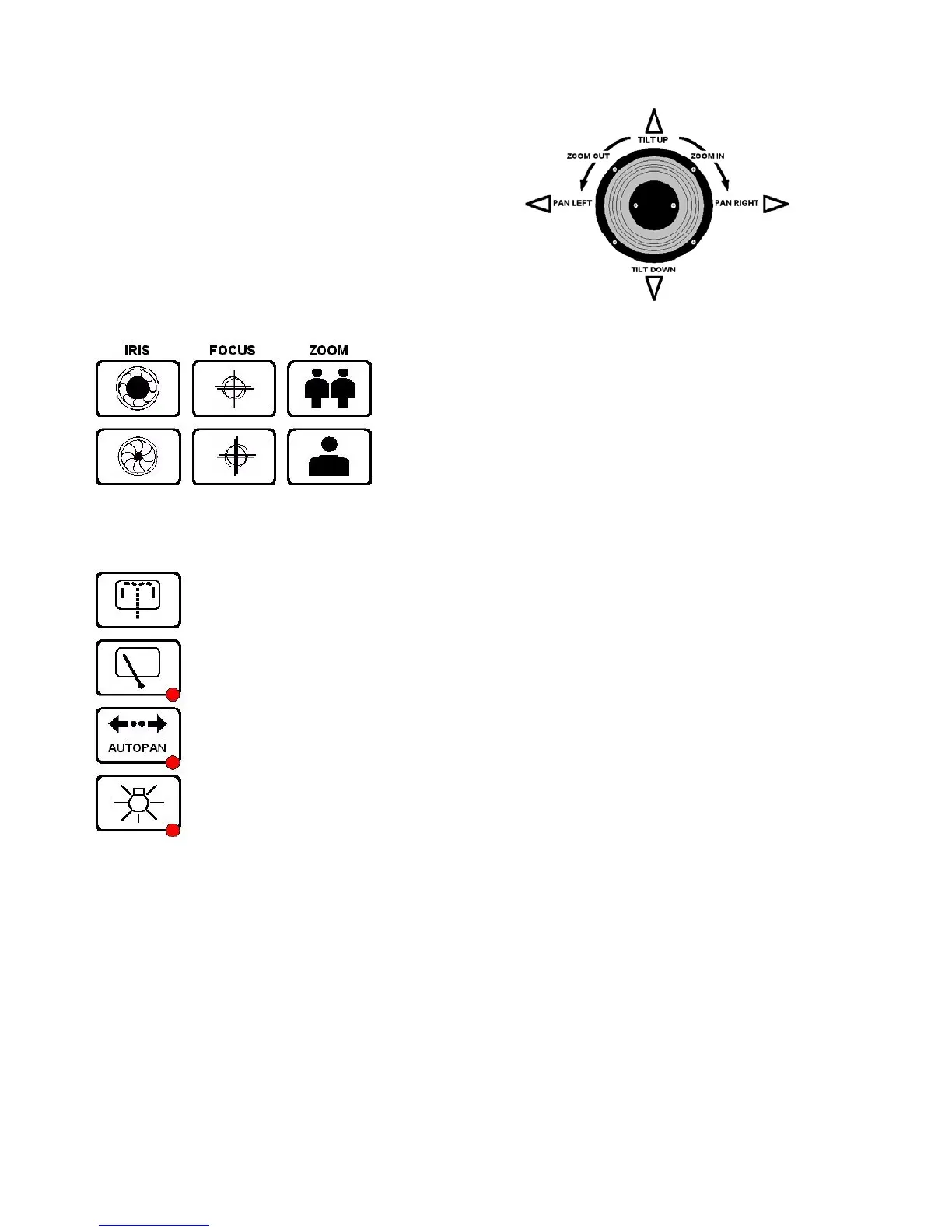
JOYSTICK
The joystick is used to pan and tilt the camera and drive the lens
zoom.
Moving the joystick left and right will pan the camera and moving
the joystick up and down will tilt the camera.
Rotating the joystick knob clockwise will zoom the lens IN and rotating
the knob anti-clockwise will zoom the lens OUT.
The joystick gives variable speed control
LENS KEYS
These keys are used to zoom and focus the lens and alter the iris if that
function has been provided.
Press a key for the desired function and release to stop.
AUXILIARY OUTPUTS
The WASH key is used to wash the camera housing’s glass if the feature has been provided.
The WIPER key is used to toggle the camera housing’s wiper ON/OFF
The function of the AUTOPAN key will vary depending upon the camera being controlled but mainly is
used to make the camera either pan from end stop to end stop or to run a preset patrol. Moving the
joystick left or right will turn autopan off.
The LIGHTS key is used to toggle any lights ON/OFF



 To Next Page