TX1500 Manual V3.5 Dec 07 Page 31 of 40 TX1500/KBD SYSTEM KEYBOARD
TX1500/KBD - System Keyboard
This keyboard provides control of the system and any cameras connected to the matrix. The keyboard
communicates through an RJ45 connector using BBV TX1500 protocol at 9600 baud on an RS422 link.
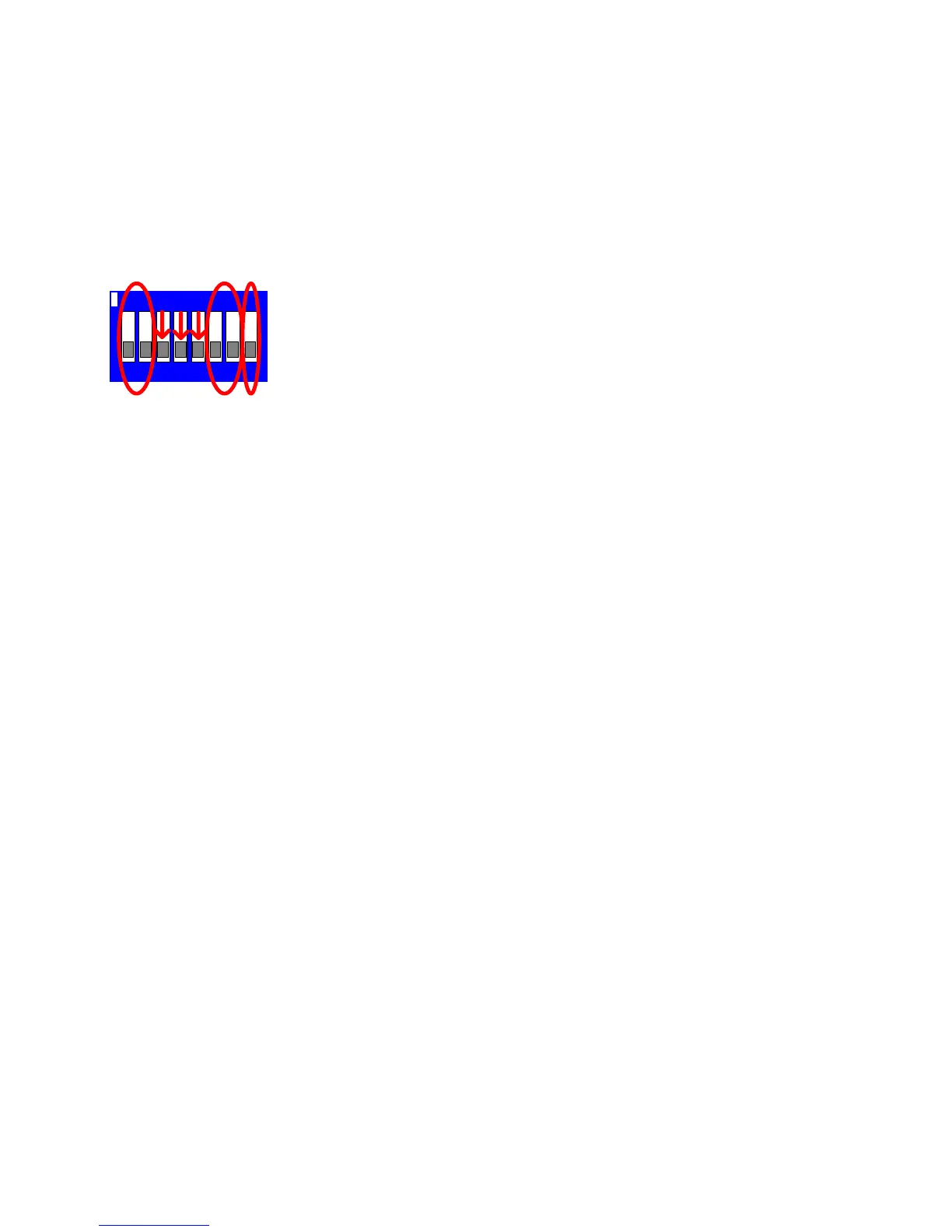
An internal 8 way DIP switch is used to set the keyboard address, RS422 termination and PROGRAM key
enable/disable.
Each keyboard must have a unique address between 1 and 4. Keyboards sharing the same
address will not be recognised by the matrix and unpredictable operation will occur.
7812 3 546
ON
SW 1-2 Keyboard Address
SW 3-5 OFF
SW 6-7 ON = BBUS Termination for end of line
SW 8 ON = PROGRAM key enable
Keyboard switch settings
Keyboard Address SW1 SW2
1 OFFOFF
2 ON OFF
3 OFFON
4 ON ON
Joystick Calibration Procedure
If the joystick needs recalibration then follow instructions below:-
1.Power down the keyboard for 30 seconds.
2.Press and hold both the 1 and TRIANGLE keys and power up the keyboard.
3.The TRIANGLE led will then flash indicating that the keyboard is in calibration mode.
4.Press 5 to set the joystick zero position.
5.Move the joystick fully UP and hold in this position and press 2
6.Move the joystick fully DOWN and hold in this position and press 8
7.Move the joystick fully LEFT and hold in this position and press 4
8.Move the joystick fully RIGHT and hold in this position and press 6
9.Rotate the joystick knob fully clockwise (ZOOM IN) and hold in this position and press ZOOM IN
10.Rotate the joystick knob fully anti-clockwise (ZOOM OUT) and hold in this position and press ZOOM OUT
11.Calibration is then complete. Power down the keyboard for 30 seconds before powering up.
Check that the TRIANGLE led is not flashing after power up if it is then power down again for 30
seconds.
The keyboard requires 9Vac/dc supply, minimum current of 100mA. A single keyboard can be supplied through a
patch cable from the matrix. Multiple or remote keyboards will need separate power supplies, which are supplied
as standard with each keyboard. Additional power supplies can be obtained from BBV.



 To Next Page