29
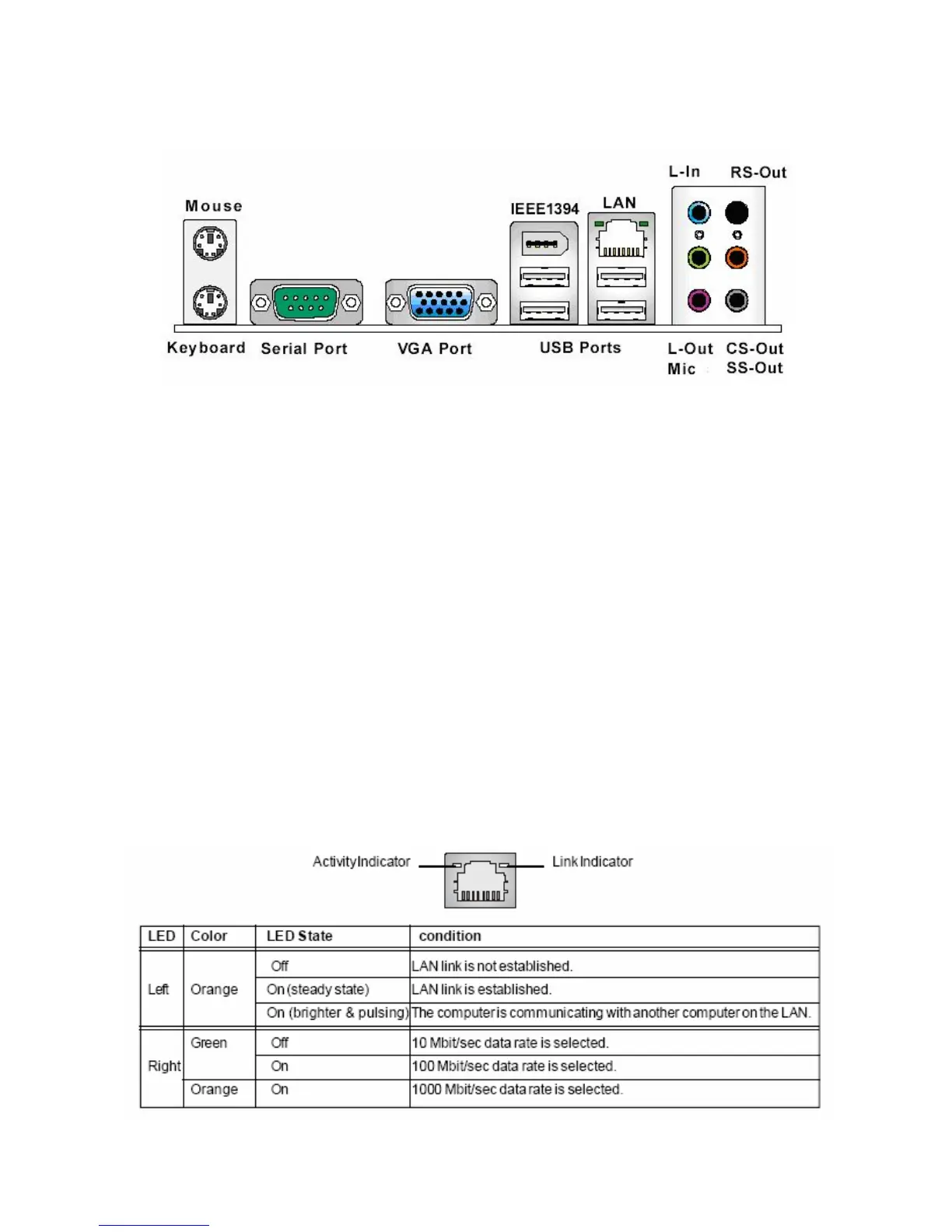
1.9 Back Panel
• Mouse/Keyboard Connector
The standard PS/2 ® mouse/ keyboard DIN connector is for a PS/2® mouse/ keyboard.
• USB Port
The USB (Universal Serial Bus) port is for attaching USB devices such as keyboard, mouse, or other USB
compatible devices.
• 1394 Port
The 1EEE 1394 port (a.k.a. firewire) provides connection to IEEE 1394 devices.
• VGA Port
The DB 15-pin female connector is provided for monitor.
• LAN (RJ-45) Jack
The standard RJ-45 jack is for connection to single Local Area Network (LAN). You can connect to a
network cable to it.



 To Next Page