37
1.11 Jumpers
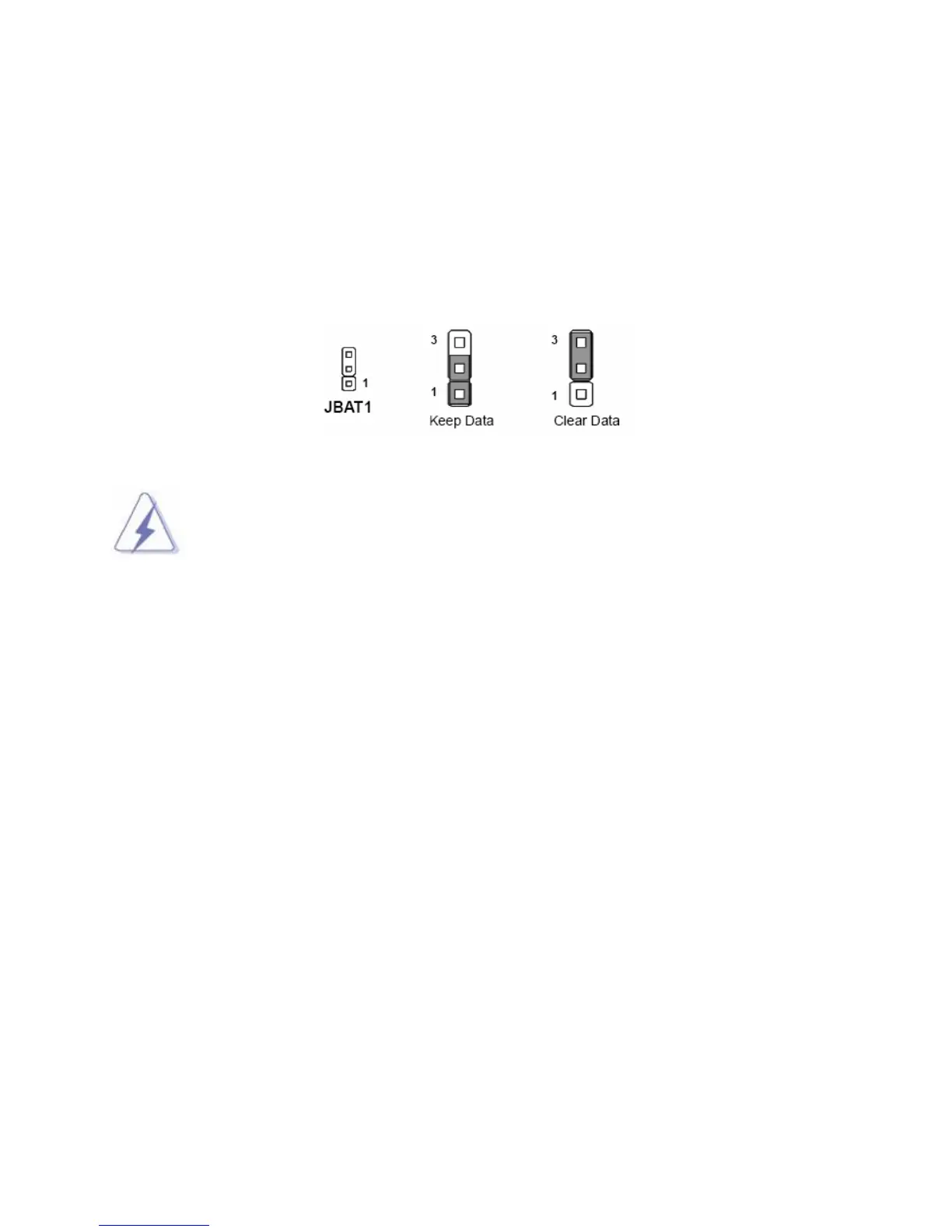
1.11.1 Clear CMOS Jumper: JBAT1
There is a CMOS RAM onboard that has a power supply from an external battery to keep the data of
system configuration.
For normal state (default), the jumper is set on pin location 1 and 2.
To clear the CMOS, set the jumper to pin location 2 and 3 for at least 30 seconds while the system is off.
1. You can clear CMOS by shorting pin 2-3 for at least 30 seconds (while the system is
OFF). then place the jumper back to pin 1-2 for normal operation.
1.8 2. Avoid clearing the CMOS while the system is ON; this will damage the mainboard.
1.11.2 BIOS Flash Protection: JCI2
During the default state (non-protect mode), there is no jumper on all three pins of this header, or it may be
placed on pin 2-3.
To prevent the BIOS from flash, the jumper can be positioned on pin 1-2.
1.11.3 The Header: JSPI1
This header is prepared for factory use only.



 To Next Page