User Manual 33
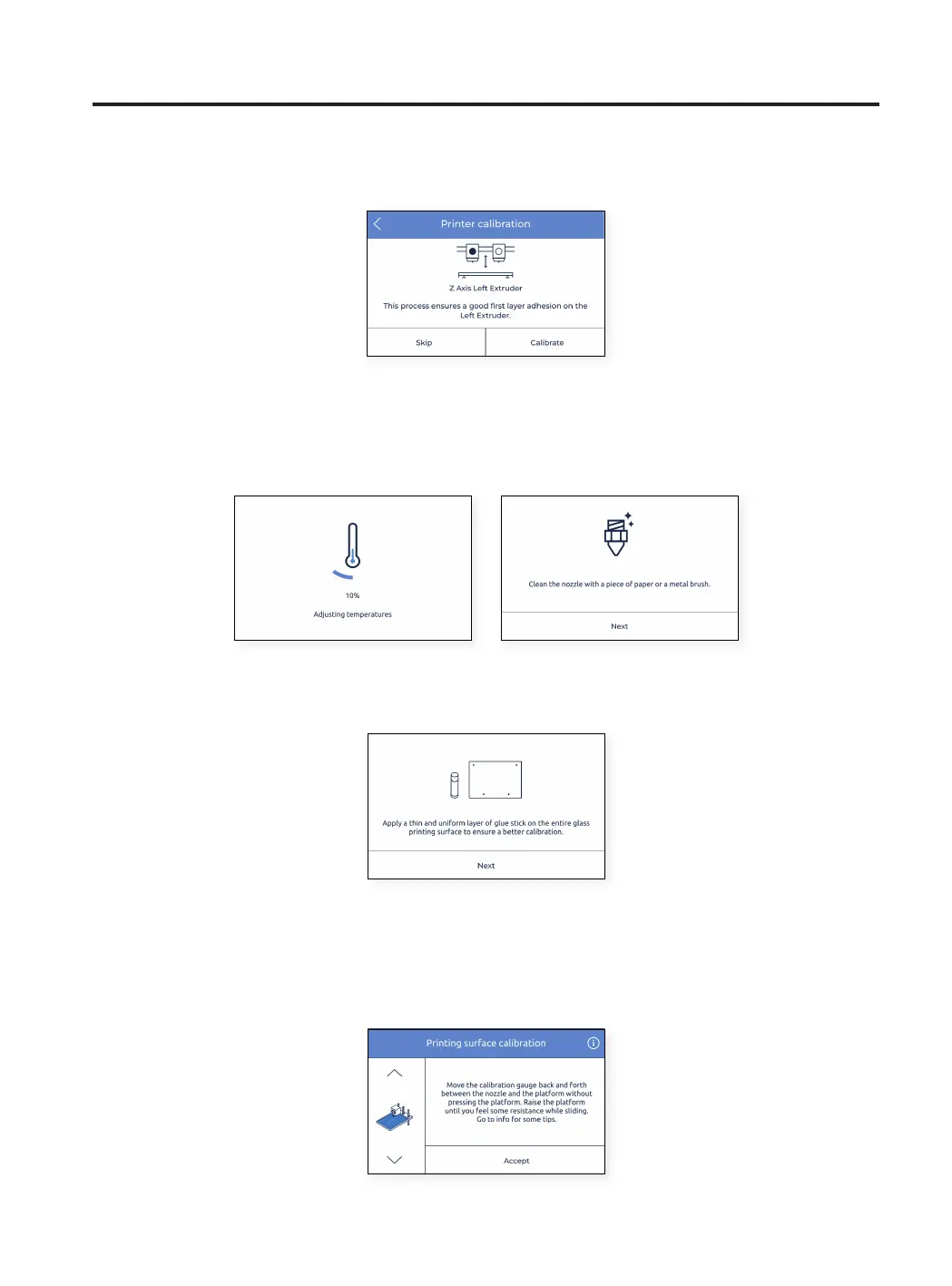
• The process starts calibrating the Z offset of the left extruder.
• The hotend heats up. After that, it is mandatory to clean the nozzle with a piece of paper or metal brush, so that
no rests of filament is on the tip of the nozzle. This is important because during calibration, a gauge has to be
placed between the nozzle and the glass.
• When indicated on the screen, apply a thin and uniform layer of printing adhesive (Magigoo glue stick included in
the Upper Box) on the entire printing surface glass to ensure a better calibration.
• Place the Calibration Gauge (included in the accessory box inside the Upper Box) between the nozzle and the
printing surface glass, hold the other end and move it back and forth, without pressing the platform. Use the
arrows on the screen to raise (^) or lower ( ) the platform until you feel some resistance while sliding the gauge.
The gauge should not flex. Tap on the Accept button when it is done.
^
Setup Assistant



 To Next Page