User Manual 34
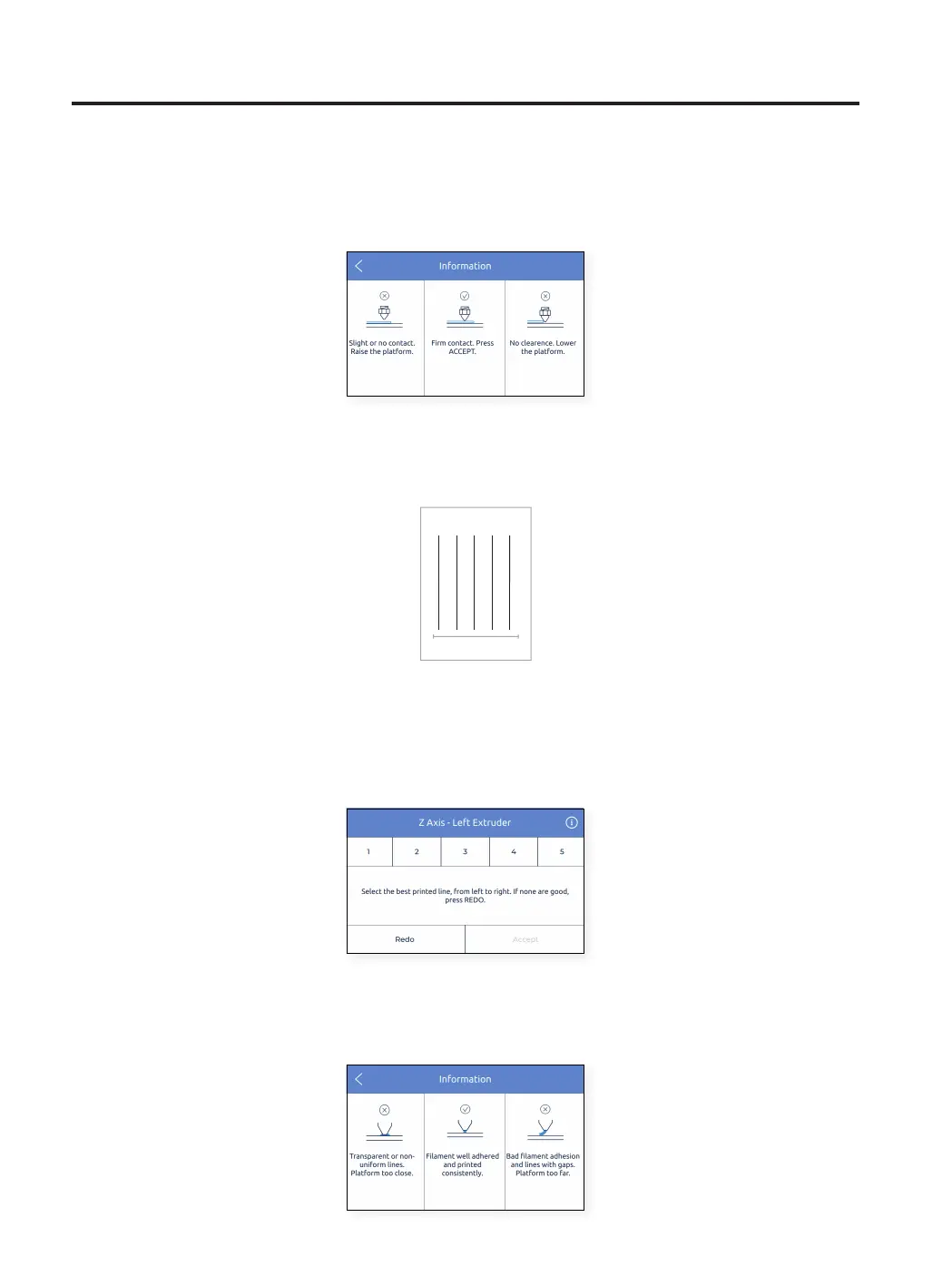
• At this time, the printer starts printing a short test print to validate the process. In this print, five lines will be
printed at different heights, in order to choose the best one.
HINT: Press the up-right button with the info icon to get
more information about how the gauge should fit beneath
the nozzle.
• Select the best line
- If the nozzle is too close to the glass, the line will be transparent or non-uniform.
- The line must be adhered to the printing glass and with no gaps..
- If the nozzle is too far to the glass, the line won’t be properly adhered to the printing glass and there will be
gaps in it.
HINT: Press the up-right button with the info icon to get
more information on how to choose the best printed line.
Setup Assistant
1 5



 To Next Page