Page 4 of 8 75.5695.08 IS40 IS40XL 20230627
x
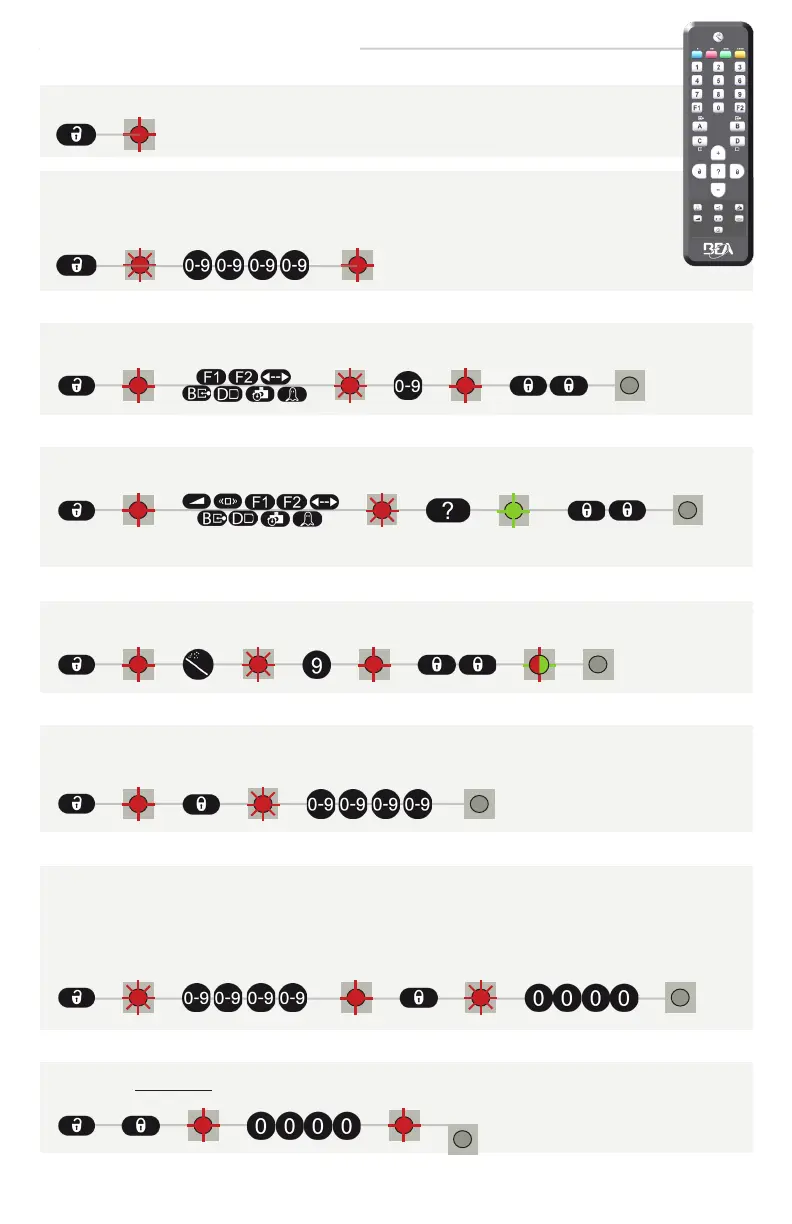
ADJUSTING ONE OR MORE PARAMETERS
RESTORING TO FACTORY VALUES
DELETING AN UNKNOWN ACCESS CODE
DELETING AN ACCESS CODE
If you do not know the access code, cycle the power and within the first minute, you can access the sensor
without entering an access code.
Additionally within the first minute, you may delete an unknown access using the remote control (see steps
below).
SAVING AN ACCESS CODE
access code recommended for sensors installed close to each other
After unlocking, the red LED flashes and the sensor can be adjusted by remote control.
If the red LED flashes quickly after unlocking, enter an access code from 1 to 4 digits.
If you do not know the access code, cut and restore the power supply and within the first
minute, you can access the sensor without introducing any access code.
CHECKING A VALUE
The number of flashes indicates the value of the chosen parameter.
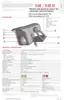
Sensor angle: 30°
Radar field angle: -8°
Total angle: 22°
Sensor angle: 30°
Radar field angle: -8°
Total angle: 22°
HOW TO USE THE REMOTE CONTROL



 To Next Page