29
GENERAL OPERATION >>>
Basic information about the
menus
During operations, you are assisted by
various menus and entry windows.
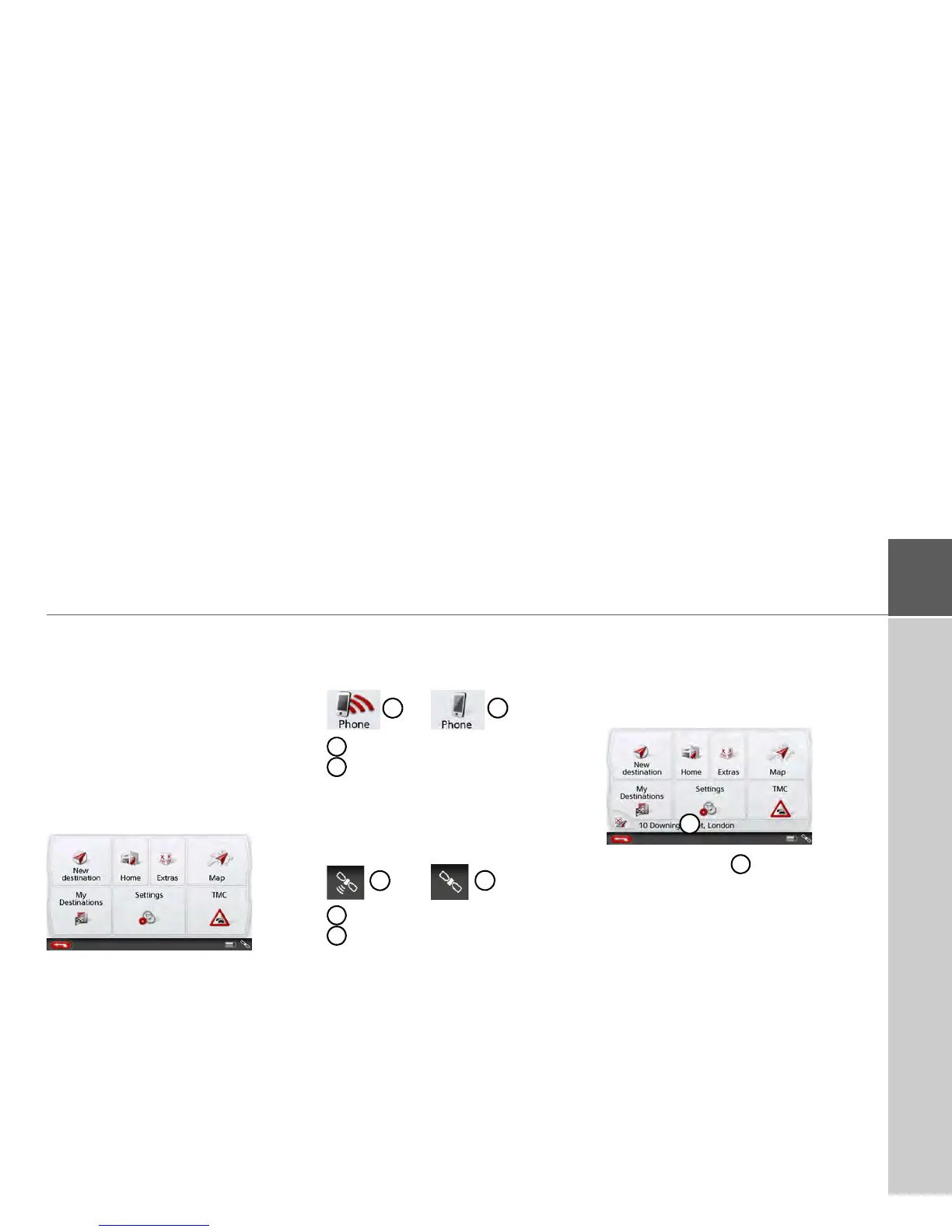
The main menu
The top menu level is the main menu.
The individual applications are started
from the main menu.
You will find information about the indi-
vidual applications in the corresponding
main chapters.
In addition to the individual applications,
the main menu also contains further
information and operating options.
You can tell whether a telephone is
already connected by the symbol on the
Phone button.
Telephone connected
Telephone not connected
A satellite symbol at the right of the
status line shows you whether there is
currently GPS reception or not.
GPS reception
No GPS reception
If route guidance is already active, the
current destination address and a button
for cancelling route guidance will be
displayed between the two rows of
buttons.
Press the button to cancel route
guidance to the displayed destination
directly in the main menu.



 To Next Page