Product overview
CP27xx 17Version: 2.0
3.3 Optional interfaces
Various interface options are available to expand your panel PC with additional interfaces beyond the basic
configuration. The following table provides information about the available interfaces depending on the
device generation:
Table8: CP27xx interface options
Ordering option Description
C9900-E268
1)
1-port USB interface in the front of a CP2xxx without push button extension,
USB-A socket IP65
C9900-E233 1 RS232 serial interface led out in the connection section of the CP2xxx
C9900-E234 2 USB ports of the motherboard led out in the connection section of the
CP2xxx
C9900-E240 Serial interface COM2, RS232, electrical isolation, overvoltage protection, D-
sub, 9-pin
C9900-E241 Serial interface COM2 RS485, electrical isolation, overvoltage protection, D-
sub, 9-pin. Configuration as endpoint without echo: Echo off, Auto send on,
Always send off, Auto receive on, Always receive off, Termination on.
C9900-E242 Serial interface COM2 RS422, electrical isolation, overvoltage protection, D-
sub, 9-pin. Configuration as full duplex endpoint: Echo on, Auto send off,
Always send on, Auto receive off, Always receive on, Termination on
1)
This option is not available in combination with stainless steel front.
PCIe modules
In addition, you can expand the panel PC with PCIe modules by ordering the device with PCIe module slots:
Table9: CP27xx PCIe module slots
Ordering option Description Device generation
C9900-B518 1 PCIe module slot, integrated in the CP27xx, for
installation of Beckhoff PCIe modules, instead of a
connector bracket for leading out interfaces
CP27xx-0010
CP27xx-0020
The PCIe module is the Beckhoff definition of a small plug-in card format with a PCIe-x1 bus interface. For
ordering options, please contact your Beckhoff Sales department. If you have ordered your device without
PCIe module slots and subsequently want to install PCIe modules, you must first send your device to
Beckhoff Service for the conversion (see chapter 10.1 Service and Support [}48]).
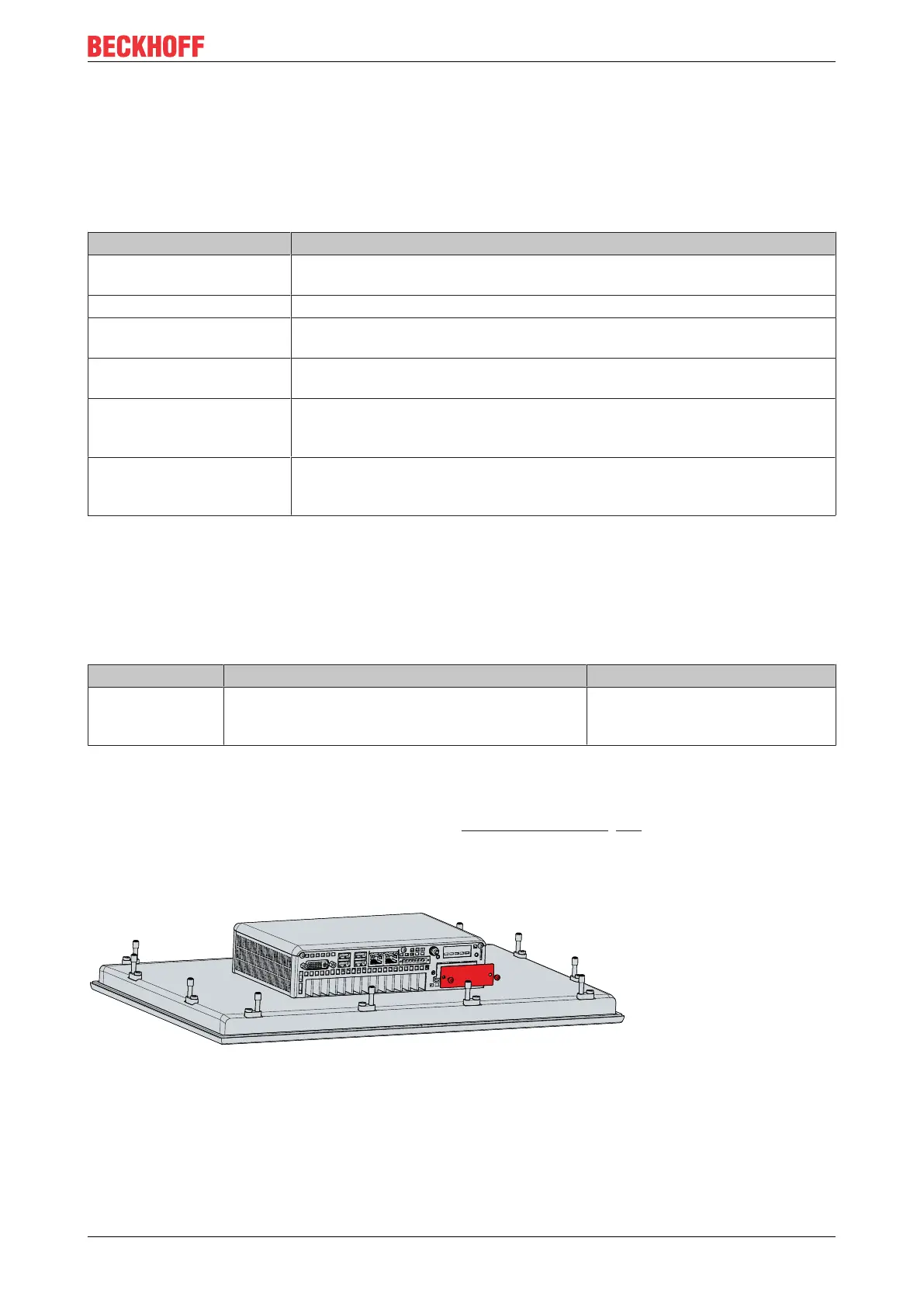
If you have ordered the device without an already installed module, you have to replace the blank cover of
the module slot with the ordered PCIe module on your own. To do this, loosen the two M3x4 screws of the
covers, insert the modules and screw the M3x4 screws back in place.
Fig.9: CP27xx_installation PCIe module
Please refer to the current price list for the available PCIe modules.


 To Next Page