Maintenance
CP27xx 39Version: 2.0
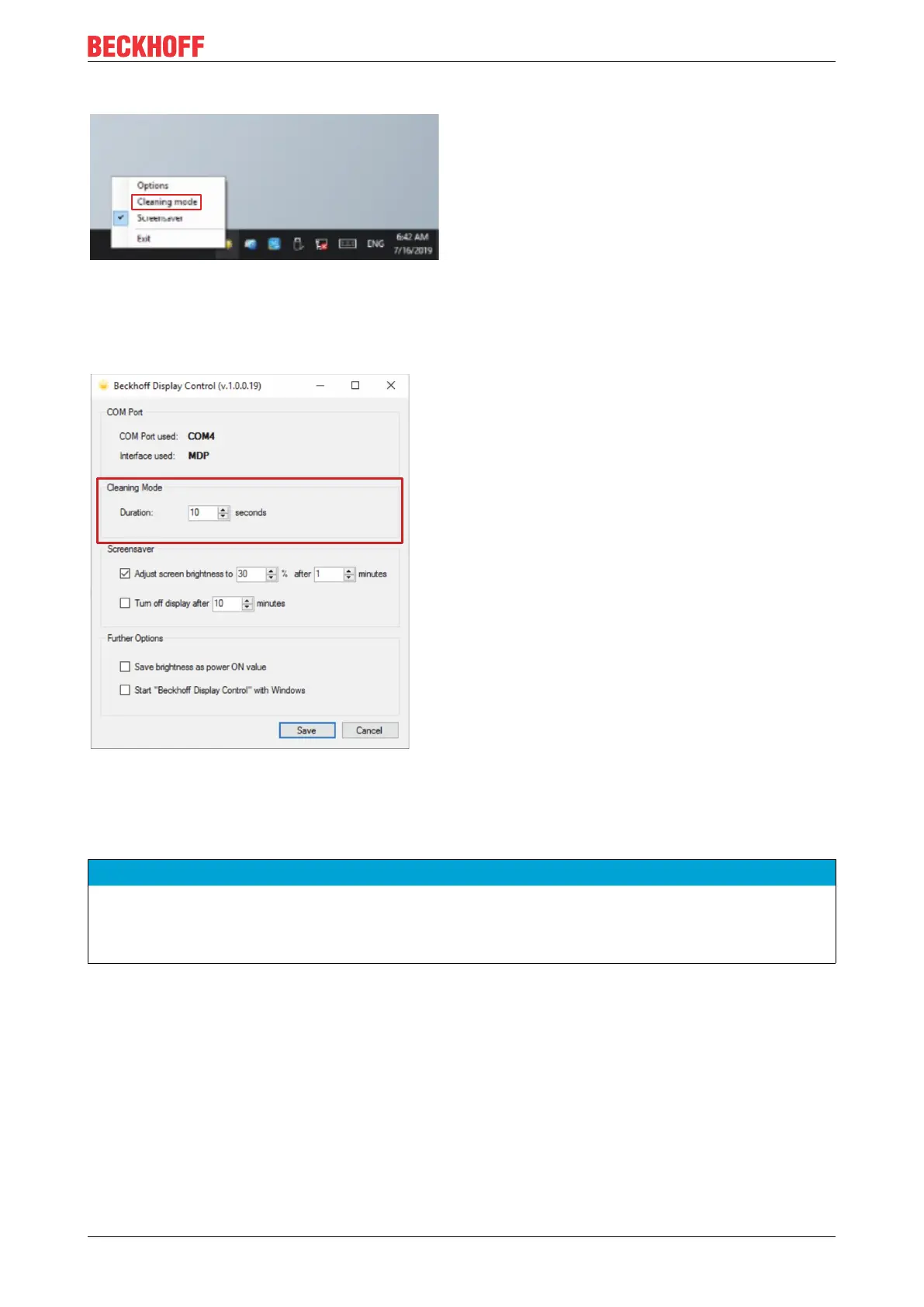
ð "Cleaning Mode" is activated. You can now clean the front panel.
Fig.24: CP27xx_Select "Cleaning Mode"
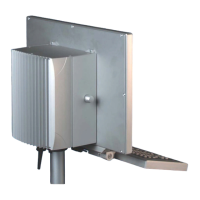
You can set the duration for which the PC should remain in Cleaning mode. The period can be set between
5 and 120 seconds. To do this, right-click on the sun symbol again or touch the sun symbol with your finger
and click on "Options". Now select the appropriate period (see fig. 25).
Fig.25: CP27xx_configuration "Cleaning Mode"
7.2 Maintenance
NOTE
Use of incorrect spare parts
The use of spare parts not ordered from Beckhoff Service can lead to unsafe and faulty operation.
• Only use spare parts that you have ordered from Beckhoff Service.
Beckhoff Panel PCs are manufactured from components of the highest quality and robustness. They are
selected and tested for best interoperability, long-term availability and reliable function under the specified
environmental conditions.
Nevertheless, some components of the panel PC may be subject to a limited service life if they are operated
under certain conditions, such as more demanding ambient conditions during operation or during storage, or
if they are out of service for long periods of storage.
Beckhoff therefore recommends replacing some of the panel PC components after the time after which
predictions of the remaining service life of such components can no longer be reliably calculated.
These are the following components:
• Storage media


 To Next Page