Maintenance
CP27xx42 Version: 2.0
7.2.1 Replacing the battery
NOTE
Incorrect battery type
Inserting the wrong type of battery can damage the device.
• Only replace the battery with a replacement battery from Beckhoff Service.
• When replacing the battery, make sure that the polarity is correct.
NOTE
Battery damage
Incorrect handling of the motherboard battery can damage it.
• Do not recharge the battery.
• Do not throw the battery on the fire.
• Do not open the battery.
• Protect the battery against direct sunlight and moisture.
NOTE
Motherboard failure
Scratches on the motherboard may cause the motherboard to fail.
• Be very careful when replacing the battery and be sure to avoid scratches on the motherboard.
The panel PC does not contain a lithium-ion battery. The motherboard battery is a CR2032 lithium-metal cell.
It is used to supply power to the clock integrated on the motherboard. If the battery is depleted or missing,
the date and time are displayed incorrectly.
Table13: Technical data of the battery
Battery type Electrical properties (at 20°C) Dimensions
Nominal voltage Nominal capac-
ity
Diameter Height Weight
CR2032 3.0V 225 mAh 20.0mm 3.20mm 3.1g
Chapter 7.2 Maintenance [}39] shows how to gain access to the battery.
To replace the battery, follow the steps below:
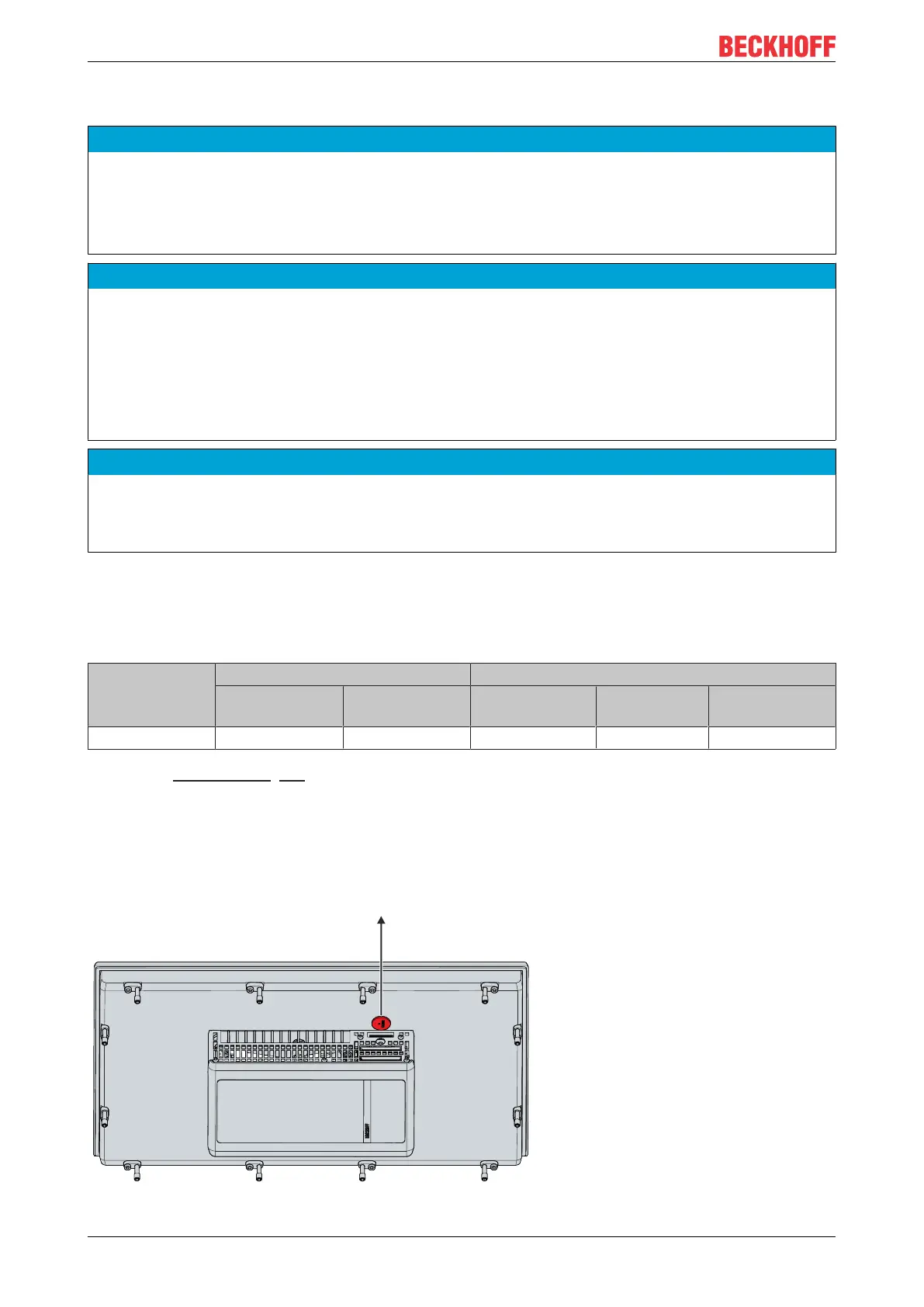
1. Pull the battery out of the panel PC with needle-nose pliers (see Fig. 27).
2. Insert the new battery into the PC by hand. Pay attention to the correct polarity. The negative pole of the
battery must face the display.
ð You have replaced the battery.
Fig.27: CP27xx_replacing the battery


 To Next Page