Product overview
CP27xx 9Version: 2.0
3 Product overview
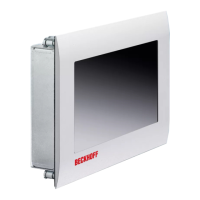
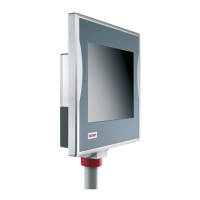
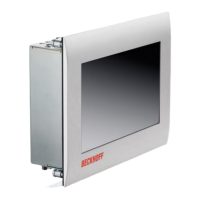
The CP27xx built-in Panel PC is designed for installation in the front of a control cabinet and represents a
powerful platform for use in machine and system engineering.
Thanks to its processors, you can use the panel PC for the following applications, among others:
• diverse automation and visualization tasks
• wide range of IoT tasks with data preprocessing
• HMI applications
• axis control
• short cycle times
• high-volume data handling
• other PC applications
The panel PC is available in the following eight display sizes, with corresponding resolutions:
• 12-inch (800 x 600)
• 12.1-inch (1280 x 800)
• 15-inch (1024 x 768)
• 15.6-inch (1366 x 768)
• 18.5-inch (1366 x 768)
• 19-inch (1280 x 1024)
• 21.5-inch (1920 x 1080)
• 24-inch (1920 x 1080)
The device has a multi-finger touch screen and an aluminum housing with glass front with IP65 on the front
side and IP20 on the rear side.
In its basic configuration, the CP27xx includes the following features:
• 3½-inch motherboard
• Intel
®
processor
• CFast
• 2 slots for CFast
• 24VDC power supply unit
Push button extension
The following panel PCs are optionally available ex factory with a corresponding C9900-G0xx push button
extension:
• CP2712 (C9900-G002)
• CP2713 (C9900-G009)
• CP2715 (C9900-G003)
• CP2716 (C9900-G004)
• CP2718 (C9900-G005)
• CP2719 (C9900-G006)
• CP2721 (C9900-G008)
• CP2724 (C9900-G007)
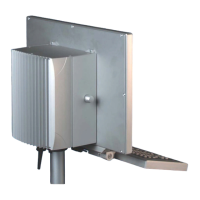
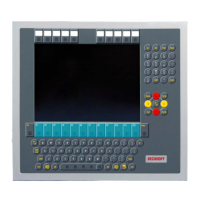
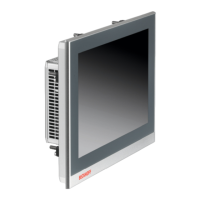
For explanations of the push button extension and the functions, refer to the C9900-G0xx manual. Figure 1
shows an example of a panel PC without (1) and with (2) push button extension.


 To Next Page