detection (Pr.62) elapses.
02 Enabled during constant speed operation and halted after detection.
03
Enabled during acceleration until the allowable time for detection
(Pr.62) elapses.
04 Enabled during acceleration and halted after detection.
Pr.61
Over-Torque Detection Level
Factory Setting: 150
Settings 30 to 200% Unit: 1%
A setting of 100% is proportional to the Rated Output Current of the drive.
This parameter sets the Over-Torque Detection level in 1% increments. (The AC drive
rated current is equal to 100%.)
Pr.62
Over-Torque Detection Time Factory Setting: 0.1sec
Settings 0.0 to 10.0sec Unit: 0.1 sec
This is the duration for over-torque detection. When the output current is larger than the
over-torque detection level (Pr.61), an over-torque condition exists and the detection time
(Pr.62) is timed-out. Any of the multi-function output terminals set to indicate over-torque,
will then close. (Please refer to Pr. 45 and Pr.46)
Pr.63
Loss of ACI (4-20mA) Factory Setting: 00
Settings 00 Decelerate to 0 Hz
01 Stop immediately and display "EF"
02 Continue operation by last frequency command
Pr.64
User Defined Function for Display Factory Setting: 06
Settings 00
Displays AC drive output frequency (Hz)
01
Display User-defined output Frequency (H*Pr.65)
02
Output Voltage (E)
03
DC Bus Voltage (u)
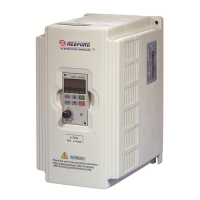
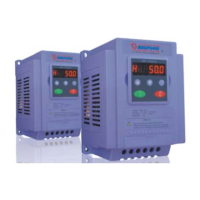
B550 Series sensorless vector frequency drive



 To Next Page