GB Sound speed controller SFR-1
06.02.2019 BEIER-Electronic 77
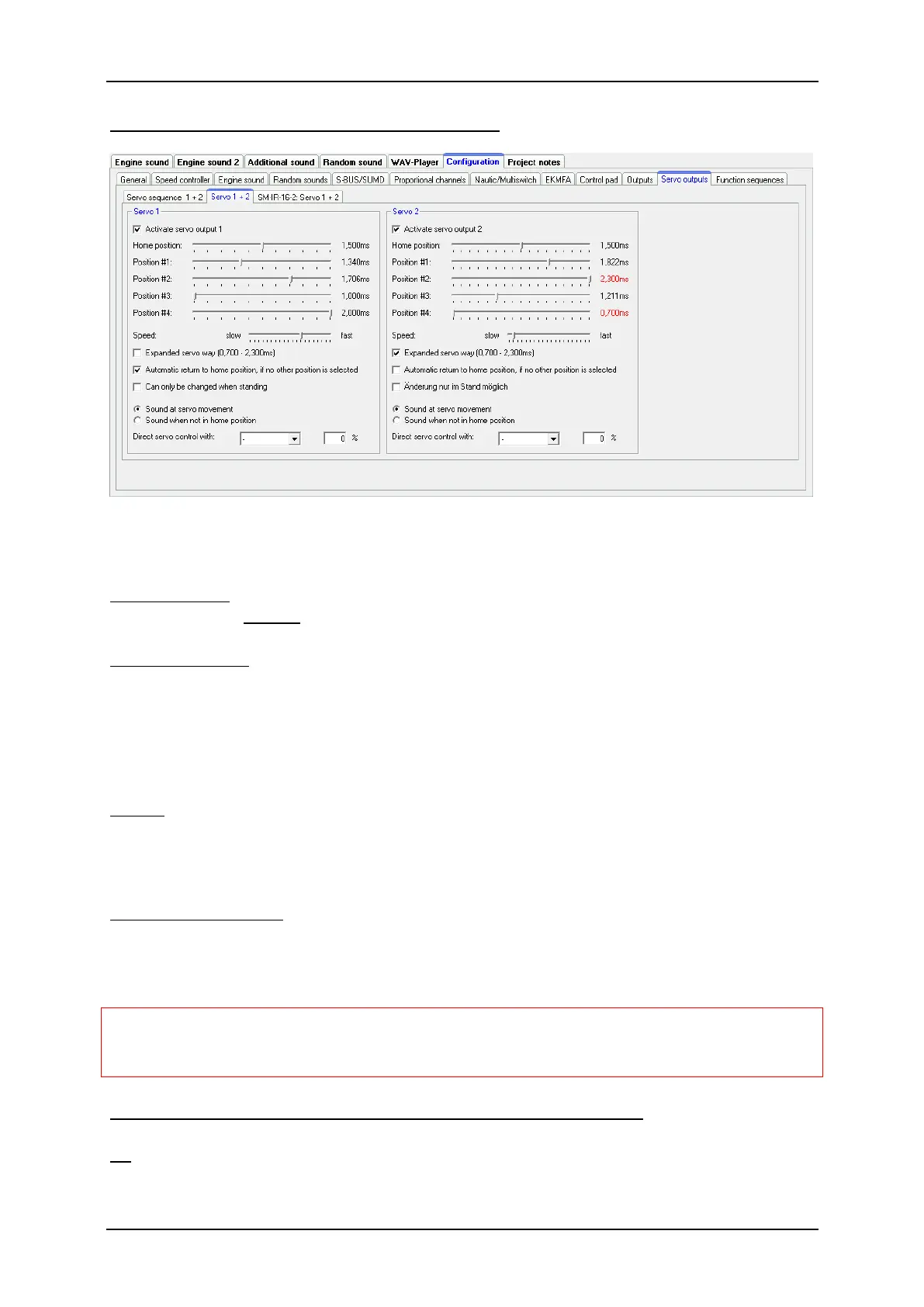
Configuration - Servo outputs - Servos 1 + 2
Here you can configure the two servo outputs of the SFR-1 (see page 43).
If you want to use the servo outputs, you have to activate them here.
Home position
The servo goes always to the home position after turning on the SFR-1.
Positions #1 - #4
These positions can be approached by functions (for example the proportional inputs
#2 - #6, nautic/multiswitches or the EKMFA mode).
To move the positions, click with the mouse on the slider and move the pointer to the
desired position.
Speed
The speed, with which the servo is moved, can be adjusted in 20 steps. It should be
noted that each servo by itself has certain inertia. So even at maximum speed, a
certain amount of time is needed to reach the selected position.
Expanded servo way
The usual length for a standard servo pulse is 1.000 to 2.000ms. Sometimes it is
desirable to expand this area so that the travel is a bit inreased. If this option is
enabled, the servo positions can be set now between 0.700 - 2.300ms.
Caution!
Not all servos are suitable for this enhanced servo range and may get
damaged! Therefore, use this function only with special care.
Go automatically to home position if no other position is selected
If this option is activated, the servo will go automatically in home position if currently
no position #1 - #4 is selected.



 To Next Page