3-21
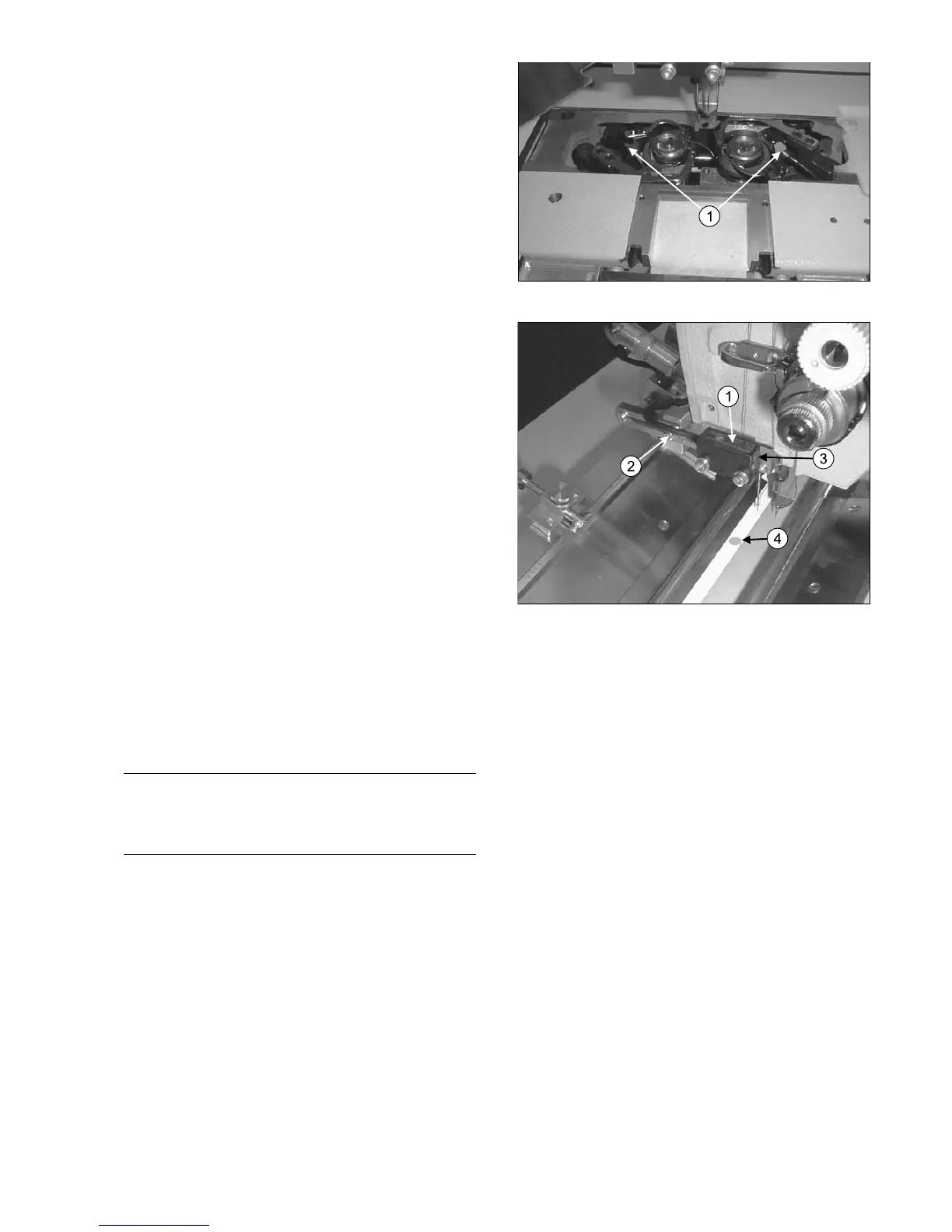
3.9 Clean tactual head of the bobbin
detector (option)
There is a blowing system at the bobbin detector which
blows the tactual head free of dirt.
Clean the tactual head (1) with a clean and lint-free cloth
from time to time.
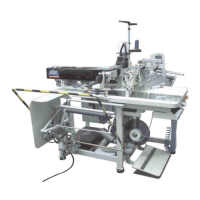
3.10 Adjust piping detection
3.10.1Lateral adjustment
The photocell (1) is equipped with a red light point (4 –
illustrated by drawing), which indicates the exact switch
point on the folding slide. The complete light point must
hit the reflecting foil when the folding slide is driven out.
Loosen the fixing screw (2) of the photocell (1) and ad-
just it exactly. Tighten the screw again.
3.10.2Adjust intensity
The intensity of the photocell (1) can be adjusted with a
potentiometer (3) which is at the side of the casing.
Drive the clamp into insertion position and close the main
clamp. Insert the flap and press the ‘Program-Stop’ but-
ton (remain it pressed). Push the clamp manually under
the photocell.
There is a red and a green LED on the front side of the
photocell (3). Adjust the intensity with the potentiometer
(3) in a way that both LED light up during reflection from
the foil.
Push the clamp until the flap covers the reflecting foil.
Now the green LED must be lighted and the red not.
Hint
After changing the intensity of the photocell you will
have to check and possibly adjust the detection
correction of the flap at flap start and end.



 To Next Page