23
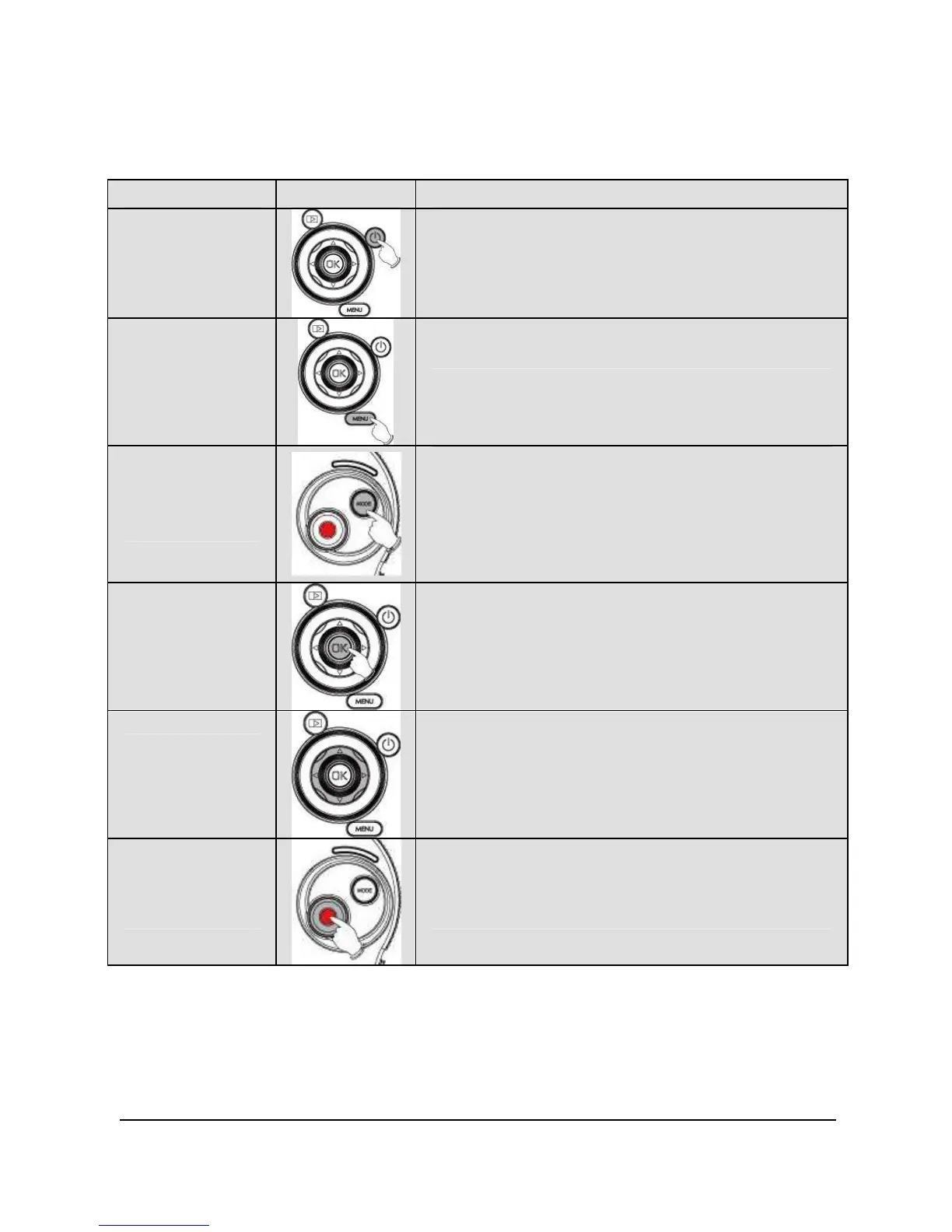
2.5 Buttons & Functions
Description
Button Function
Power
Button
To turn ON/OFF the Digital Video
Camera.
Menu
Button
To display the main OSD menu.
MODE
Button
There are three operating modes
for the Digital Video Camera: DV
Mode, DSC Mode, and Voice
Recording Mode. Press the Mode
button to switch to different modes.
To confirm all settings.
4-Way
Direction
Button
Press this button Left/Right to
adjust the EV compensation; press
this button Up in DSC mode to turn
on/off the flash light: off, auto, fill-in
To take movie clips and voice
recordings.



 To Next Page