52
6.3 Menu Options of Camera Mode
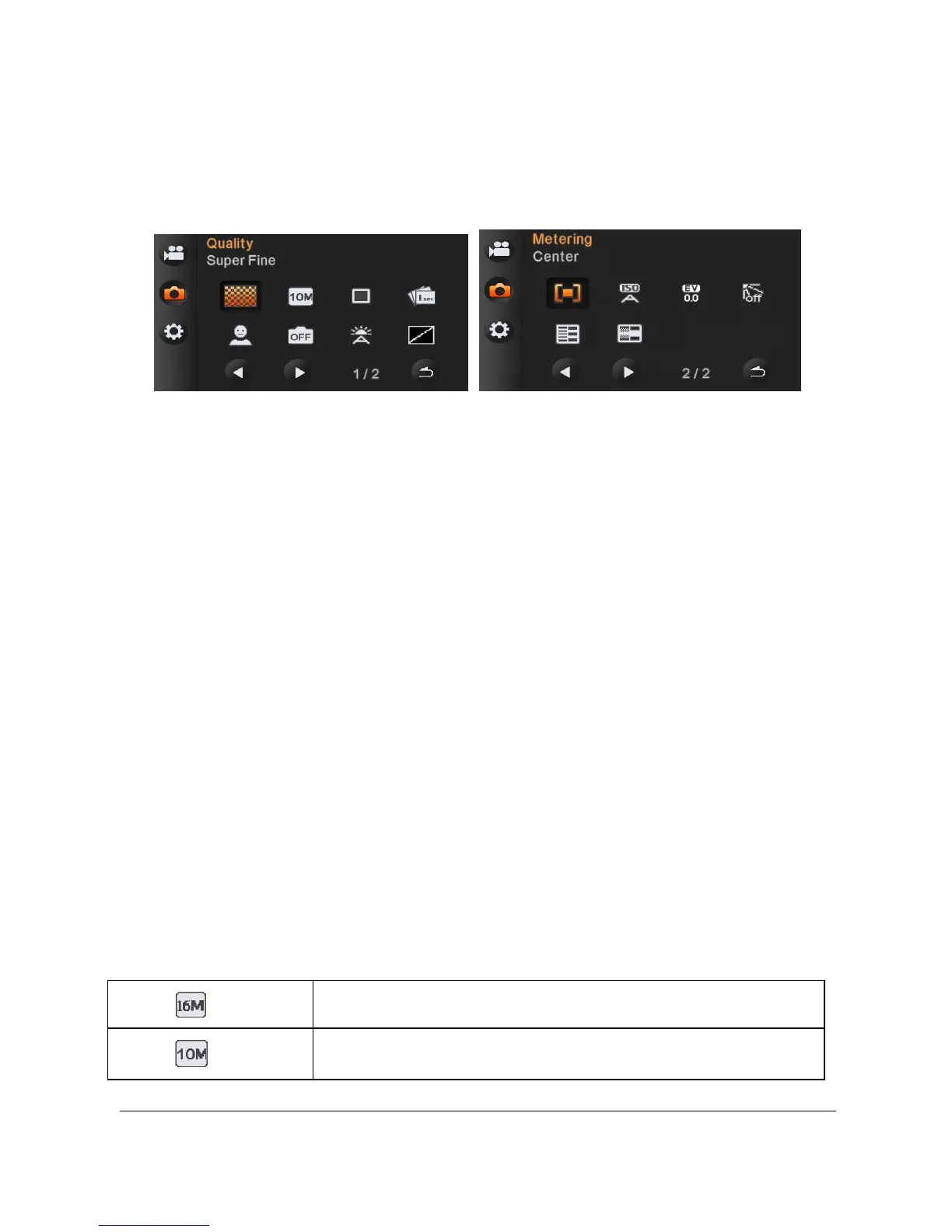
During [DSC] Mode, press [MENU] Button to display camera mode
option menu.
6.3.1 Quality
1. Turn [On] the Digital Video Camera and ensure it is in the [DSC]
mode.
2. Press [MENU] Button and press [4-way Direction] Button to
select the [Quality] item. Press OK Button or touch the screen to
display submenu.
3. Press [4-way Direction] Button to select [Super Fine], [Fine], or
[Normal]. Press OK Button or touch the screen to confirm the
setting.
6.3.2 Photo Size
1. Power [On] the Digital Video Camera and make sure it is in the
[DSC] mode.
2. Press [MENU] Button and press [4-way Direction] Button to
select the [Photo Size] item. Press OK Button or touch the
screen to display submenu.
3. Press [4-way Direction] Button to select [16M], [10M], [3:2],
[16:9], or [2M]. Press OK Button or touch the screen to confirm.
16M 4608 x 3456 pixels (Interpolation)
10M 3648 x 2736 pixels



 To Next Page