Operation
31
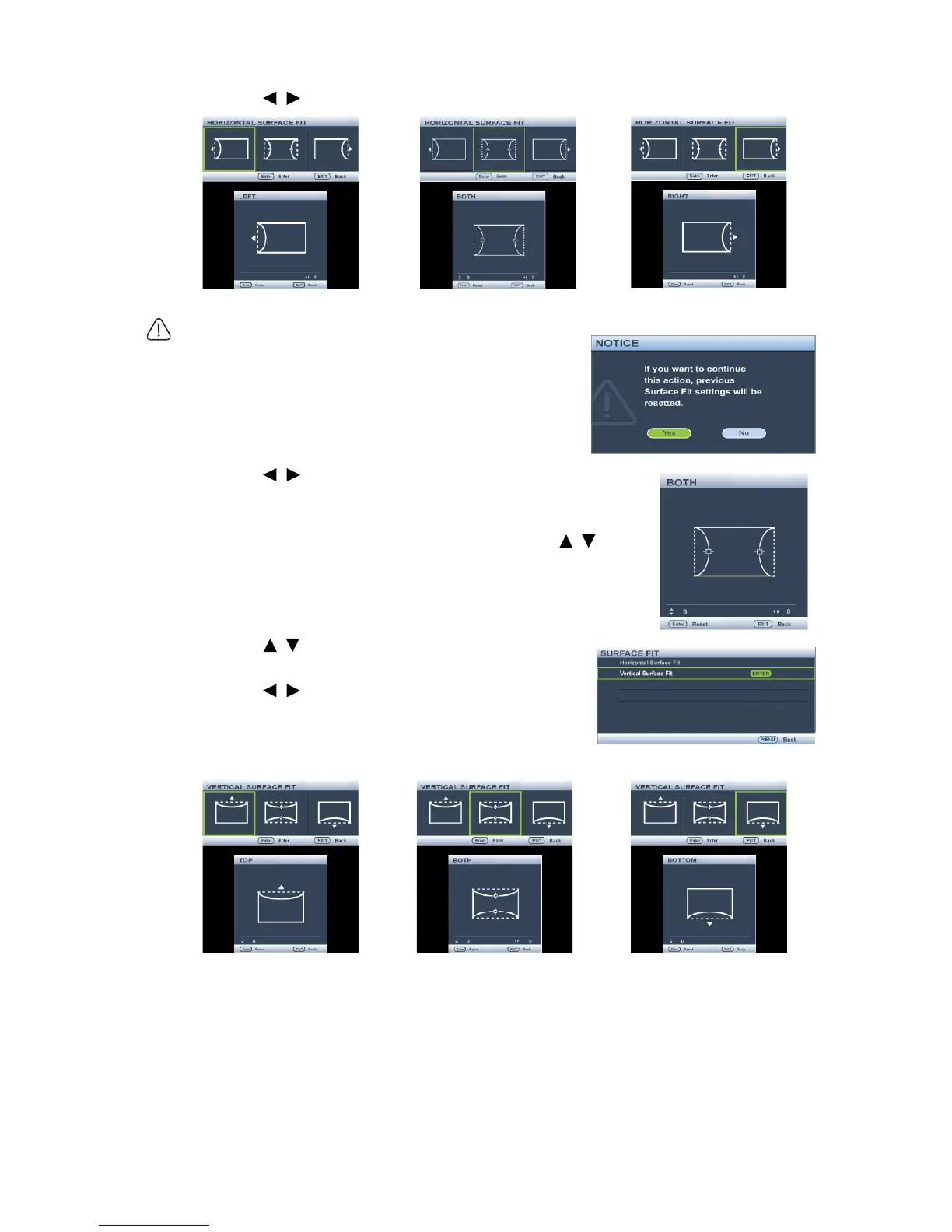
3. Press / to select the direction and press MODE/ENTER.
Only one Surface Fit setting will be stored so if you want to
change from the previous direction to the other, the notice
message will pop-up to remind you to reset the previous
Surface Fit setting.
4. Press / to adjust the left or/and right side
convex or concave. Default is 0 and value is -40~0~40.
Single side adjustment is only for distortion.
5. For both sides of the horizontal surface fit, use / to
adjust the center of the curve because it is not always at
the center. Default is 0 and value is -40~0~40.
6. Press / to select Vertical Surface Fit and
press MODE/ENTER.
7. Press / to select the direction and press
MODE/ENTER.



 To Next Page