Operation
30
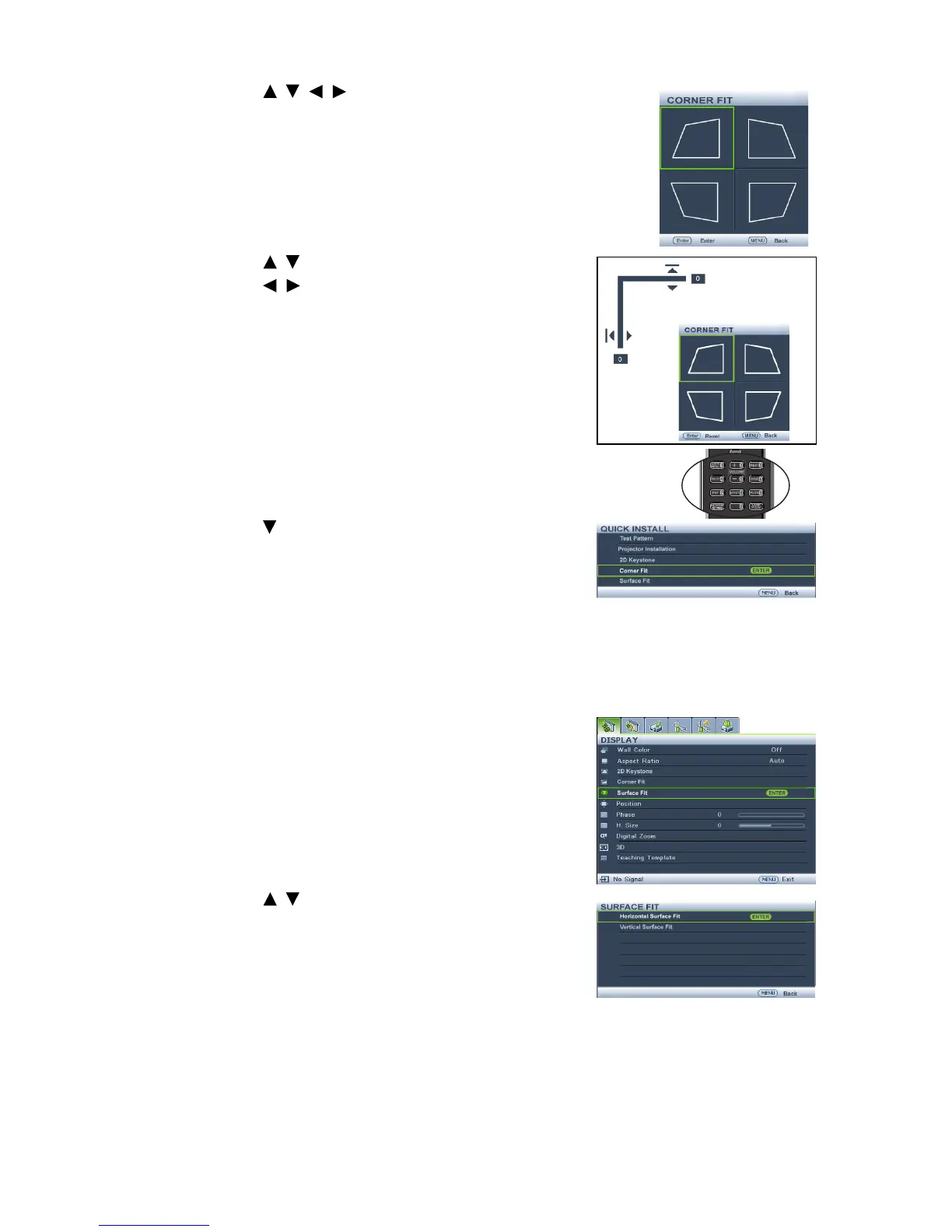
2. Press / / / to select one of the four corners and
press MODE/ENTER.
3. Press / to adjust vertical values from 0 to 60.
4. Press / to adjust horizontal values from 0 to 60.
•Using the QUICK INSTALL key
1. Press QUICK INSTALL on the remote control.
2. Press to select Corner Fit and press MODE/
ENTER.
3. Follow the steps 2~4 in the above section.
Adjusting surface fit
Manually correct geographic distortion by Surface Fit calibration function.
•Using the OSD menu
1. Select
Surface Fit in the DISPLAY menu and
press MODE/ENTER.
2. Press / to select Horizontal Surface Fit
and press MODE/ENTER.



 To Next Page