Menu operations44
Screen settings
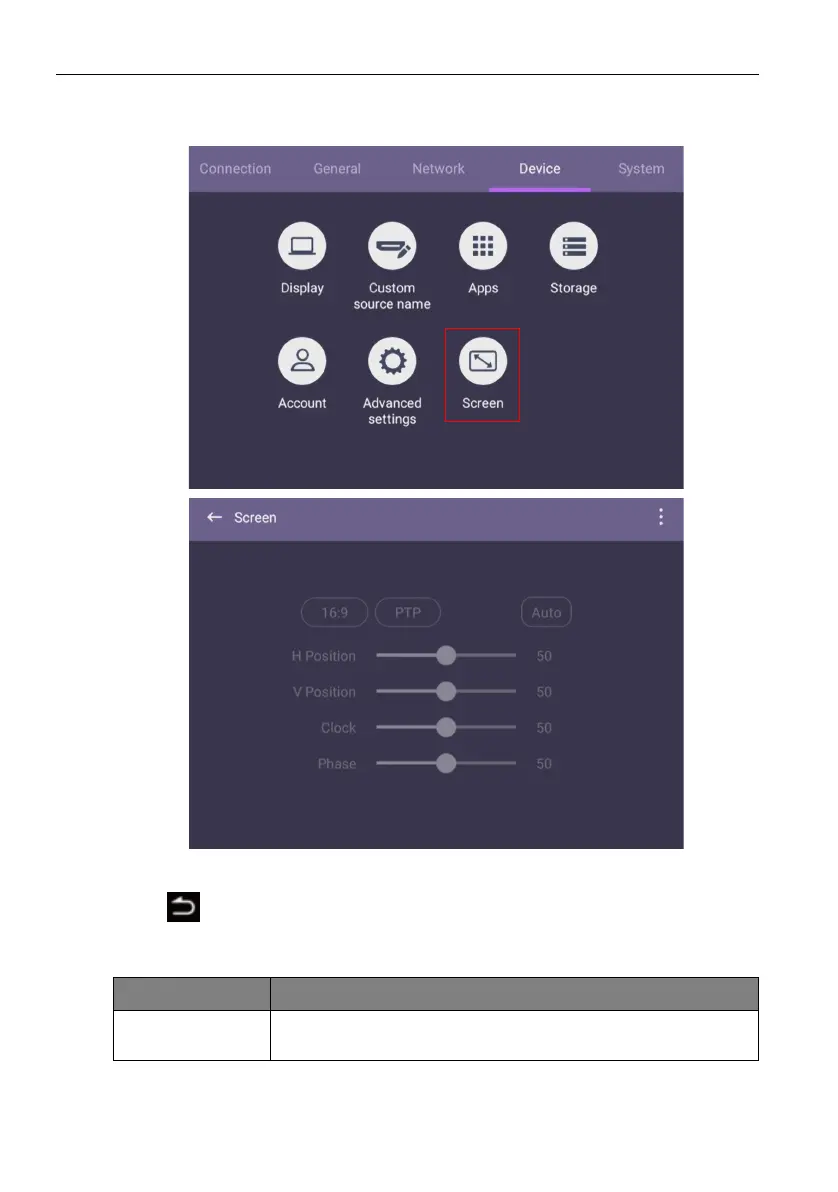
Go to Device > Screen to access the Screen settings.
• Press /// on the remote control and press OK to confirm or directly click an
item.
• Press
on the remote control or click a blank area outside the menu to exit the
menu.
• Press/on the remote control and press OK to adjust image.
• The display automatically enters energy saving mode when no one is detected within
the sensor’s range.
Menu Description
Aspect ratio
Press/on the remote control or click an aspect ratio.
Options are 16:9, PTP, or Auto.



 To Next Page