Mounting10
Mounting
Select either way to install the product:
• Install the product on the wall mount with the provided mounting components. Refer
to Installing the wall mount on page 10 for more information.
• Mount the product directly to any tripod or bracket with the lock screw. Refer to
Installing the display mount on page 11 for more information.
Installing the wall mount
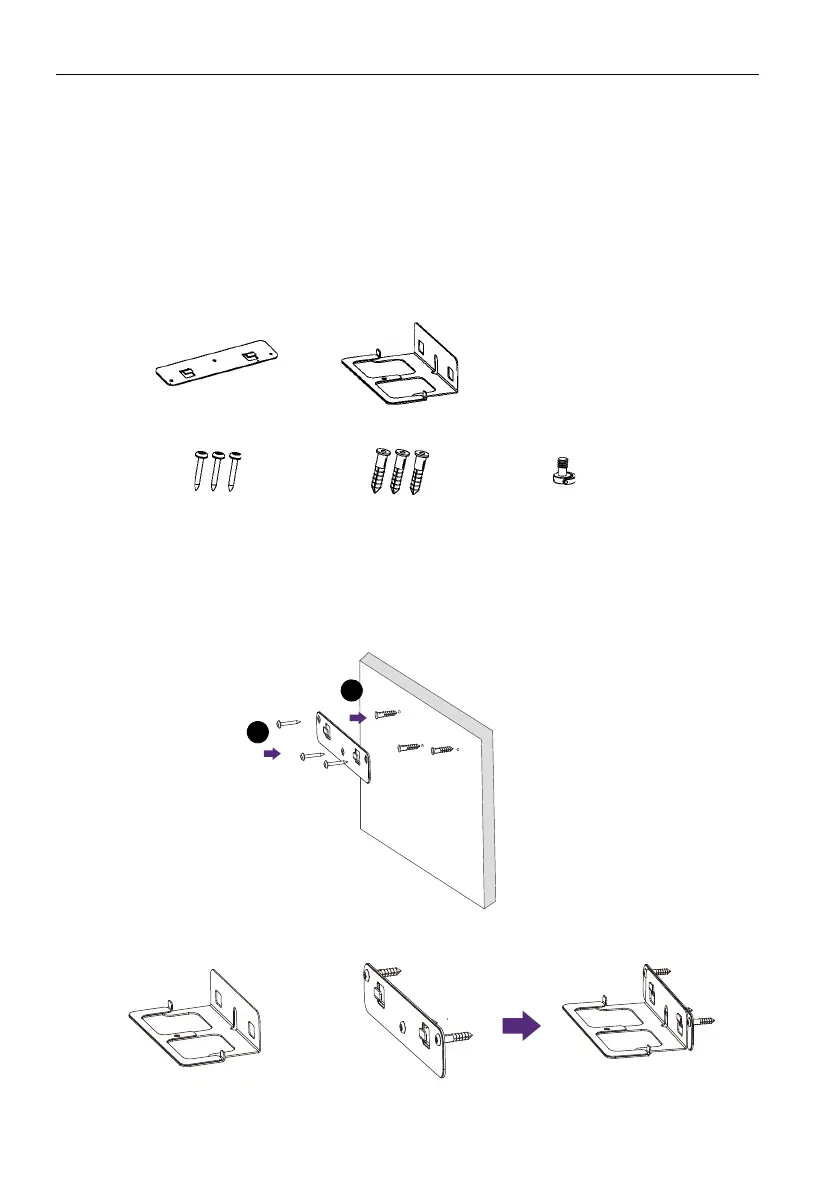
Check the mounting component list before installing:
To install the wall mount:
1. Install three expansion screws into the wall.
2. Install the mounting plate with three screws and secure it on the wall.
3. Hook the mounting bracket onto the mounting plate.
Mounting plate Mounting bracket
Screws (Ø4x30mm) x 3
Expansion screws
(Ø9.5x29.5mm) x 3
Lock screw
(1/4"-20 UNC)



 To Next Page