Android system interface18
Android system interface
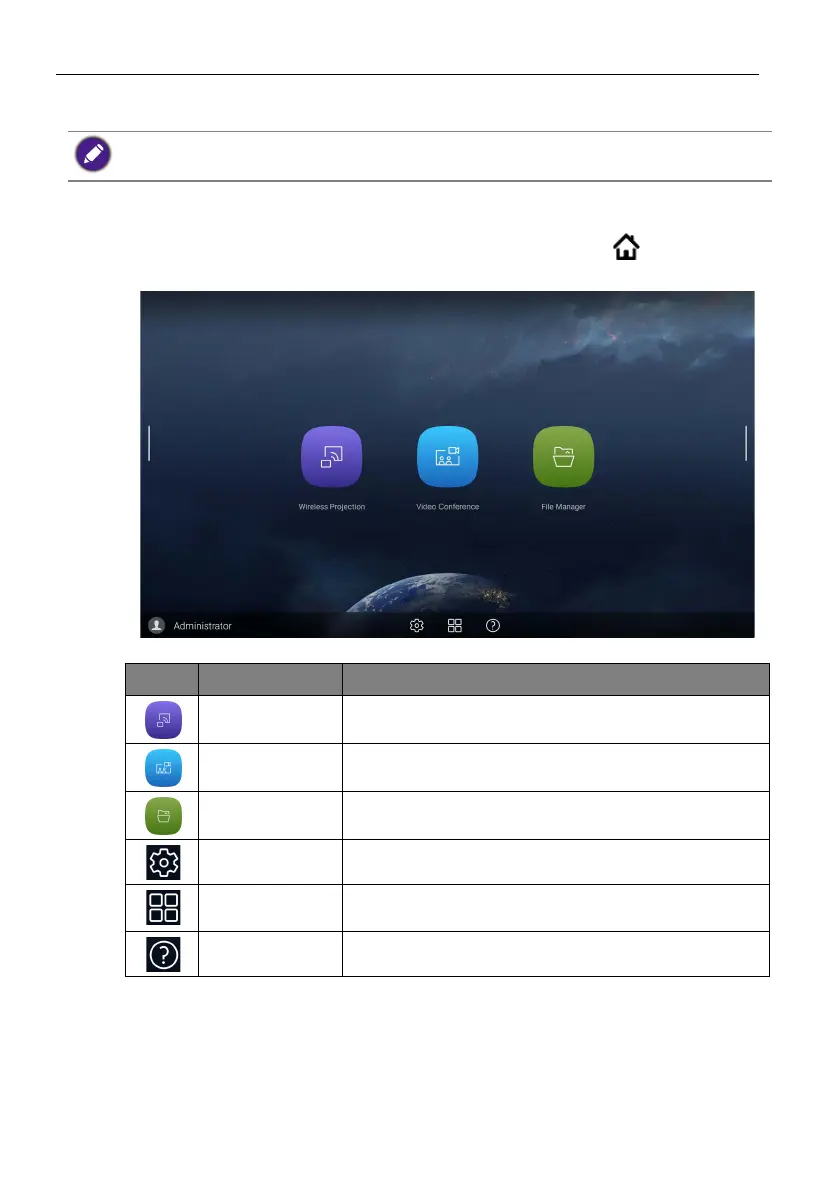
Main interface
The product launches the Android main interface by default. Press on the remote
control or right click on a mouse to return to the main interface.
Note that this is a closed Android OS. Download and use of unauthorized apps on this system are not
available.
Icon Function Description
Wireless
Projection
Shortcut links to InstaShare 2. Refer to Project wirelessly
via InstaShare 2 on page 32 for more information.
Video
Conference
Shortcut links to TeamViewer Meeting.
File Manager Shortcut links to AMS files. Refer to AMS file manager
overview on page 34 for more information.
OSD Settings Click to open or close the OSD settings menu.
All Apps Click to access all apps and widgets. Refer to Apps on
page 30 for more information.
Help Click to access online tutorial videos and manuals.



 To Next Page