Basic operations16
Basic operations
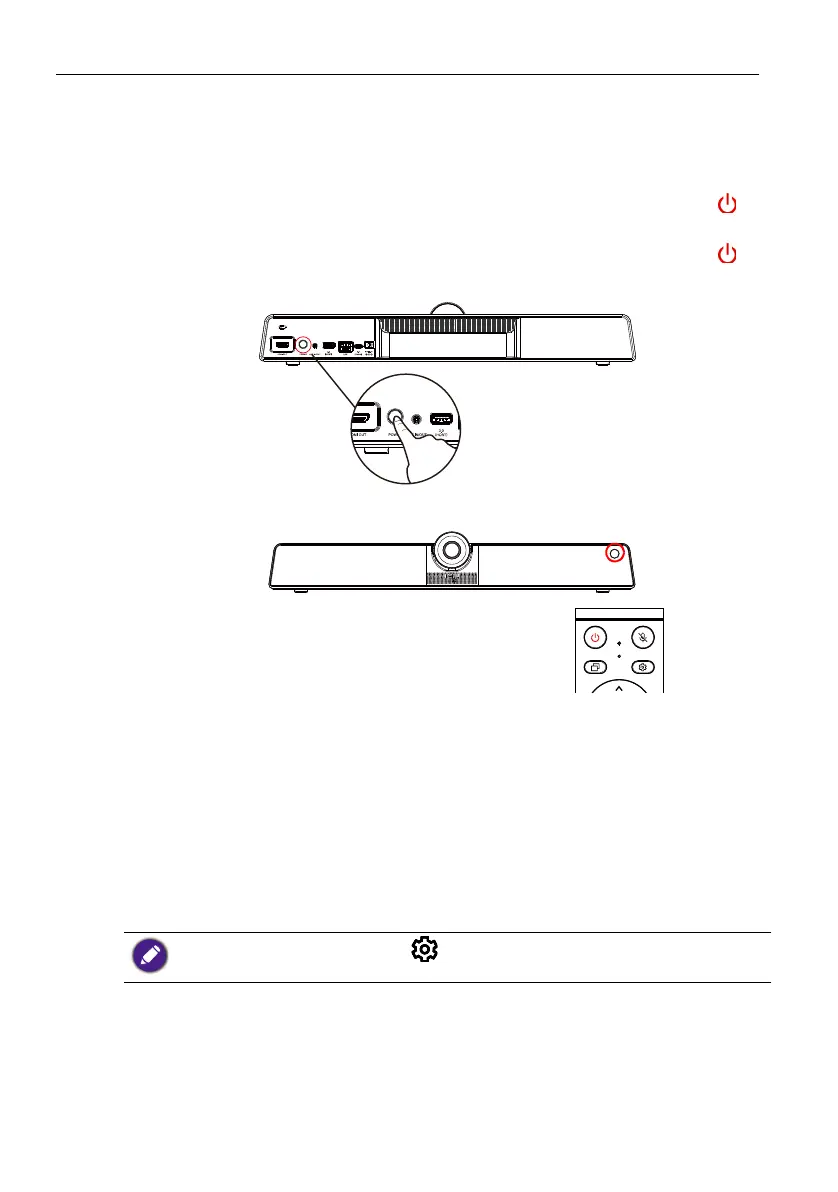
Turning the product on or off
• Be sure to follow the instruction of Connecting power on page 13.
• To turn on the product, press the Power button on the back of the product or on
the remote control.
• To turn off the product, press the Power button on the back of the product or on
the remote control.
Initial setup
After you have connected the product to the power, you are ready to power on the
product. The first time you power it on, you will be guided through a series of setup
screens. Follow the on-screen instructions or the steps below to start up and complete
the initial setup.
1. Turn on the product. Wait for it to boot up with the BenQ screen. This may take a
moment.
2. Tap Next on the screen to begin. Follow the on-screen instructions to set up the
language, date and time, and network. Or your can skip some of these steps and
complete the setup later.
To adjust other settings, you can press on the remote control to enter the OSD menu again.
Refer to Menu operations on page 23 for more information on the OSD menus and their settings.



 To Next Page