Menu operations 27
Device settings
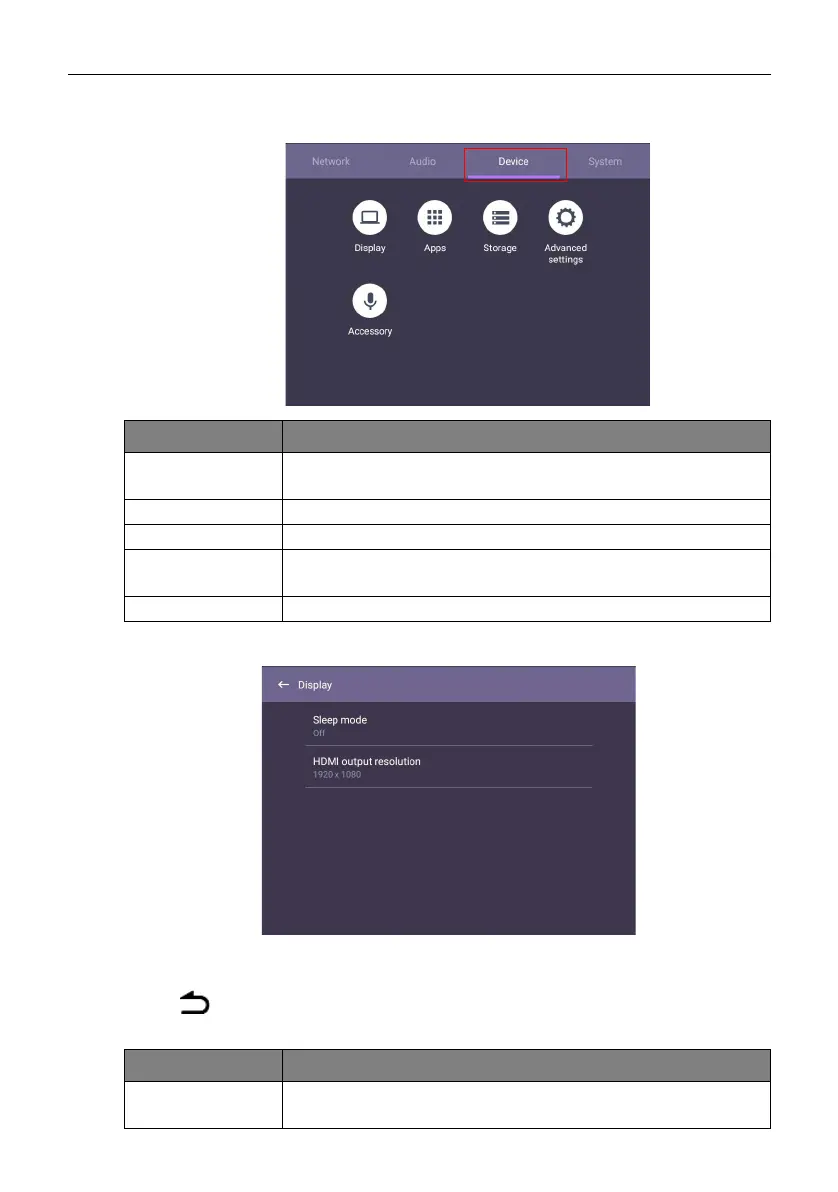
Go to Device to access the Device settings.
Display settings
• Press /// on the remote control and press OK to confirm or directly click an
item.
• Press on the remote control or click a blank area outside the menu to exit the
menu.
Menu Description
Display Allows you to adjust the display’s parameters. Refer to Display
settings on page 27 for more information.
Apps Accesses all the applications installed in the product.
Storage Allows you to manage the product’s storage.
Advanced
Settings
Accesses more device settings. Refer to Advanced settings on
page 28 for more information.
Accessory Allows you to set up the microphone, webcam and speaker.
Menu Description
Sleep mode Set up time interval to put HDMI OUT source in sleep mode
when you're not using it.



 To Next Page