Apps30
Apps
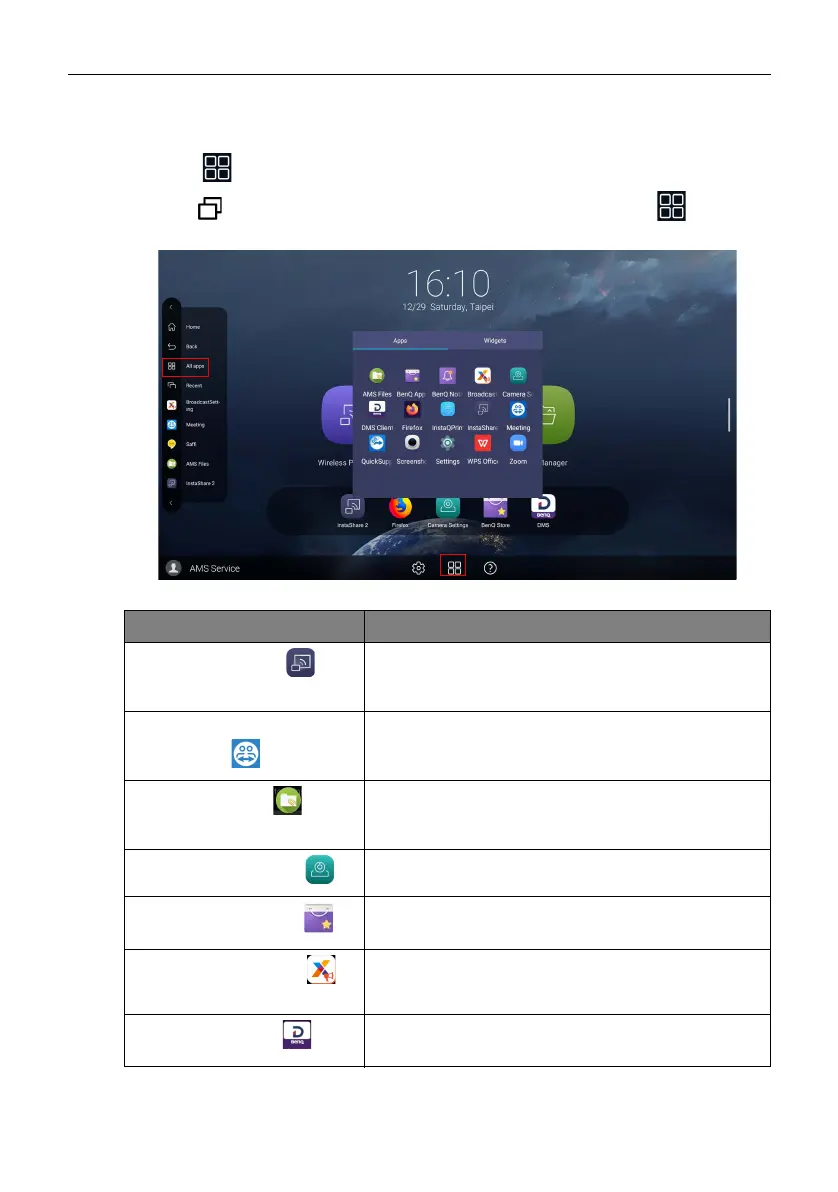
Two ways are provided for you to access all apps on the product:
1. Select on the main screen to access the all apps window.
2. Press
on the remote control to open Side Tool Bar and select to open
the all apps window.
Application Name Description
InstaShare 2 ()
Allows screen mirroring and touch control for
collaborative meetings. Refer to Project wirelessly via
InstaShare 2 on page 32 for more information.
TeamViewer Meeting
()
Gives you access to instant or scheduled group
meetings with any other TeamViewer Meeting
users.
AMS files ()
Provides you with personalized working environment
and file management service. Refer to AMS file
manager overview on page 34 for more information.
Camera Settings ()
Adjusts camera settings and picture parameters. Refer
to Camera settings on page 39 for more information.
BenQ App Store ()
Allows you to download recommended apps. Refer to
BenQ App Store on page 41 for more information.
X-Sign Broadcast ()
Serves as a wireless broadcast system that allows
immediate message delivery as well as group
notification.
DMS Client ()
Allows remote management, configuration, and
monitoring of the display.



 To Next Page