Apps32
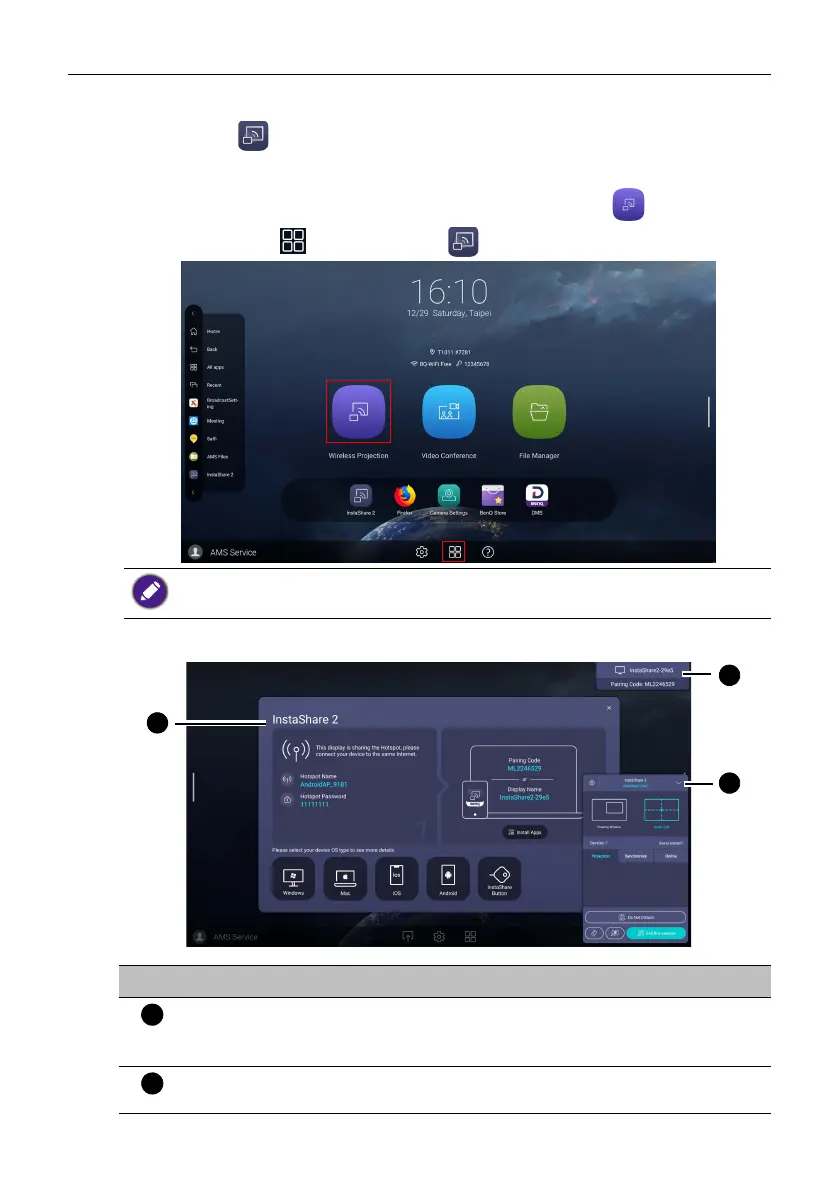
Project wirelessly via InstaShare 2
InstaShare 2 ( ) is a software-based solution for multi-user collaboration, which lets
users to share contents with all devices in a meeting wirelessly.
Two ways are provided for you to access InstaShare 2:
1. On the Android main interface, select Wireless Projection ().
2. Select All Apps() > InstaShare 2 ().
When you enter InstaShare 2, the main interface is shown as below:
• Use mouse cursor to have a better user experience.
• Before launching the application, make sure your display is properly connected to the lnternet.
No. Item Description
Connection Tutorial
window
Follow the guide to connect and pair your device with
the display. Select the device OS type below to see the
projection tutorial respectively.
Connecting
Information window
Shows the display name, pairing code and connection
password while presenting.



 To Next Page