Mounting 11
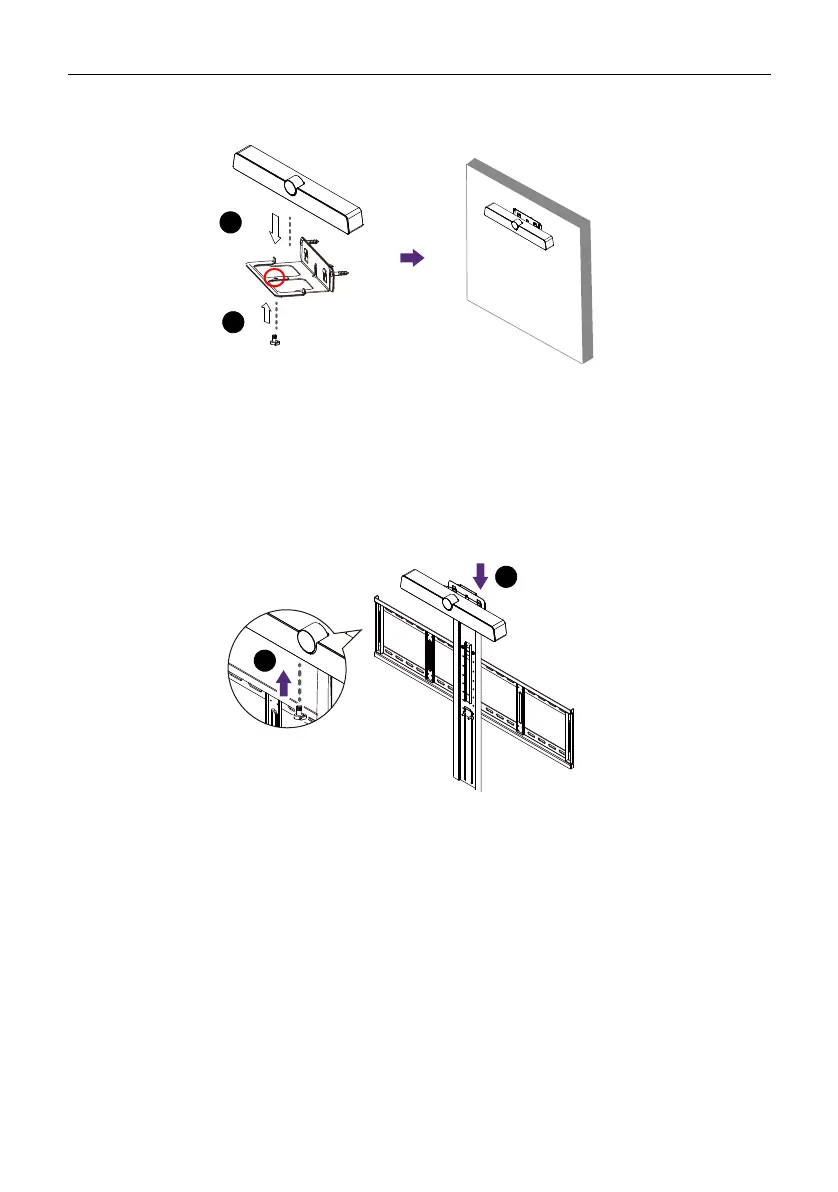
4. Place the product onto the mounting bracket and secure the product by screwing
the lock screw into the product’s screw hole.
Installing the display mount
You may attach the product to the display by installing the product directly to any tripod
or bracket with the lock screw.
To attach the product on the display mount:
1. Place the product onto a mounting bracket.
2. Secure the product by screwing the lock screw into the product’s screw hole.



 To Next Page