Connections14
Working with the built-in OS of the product (All-in-one
mode)
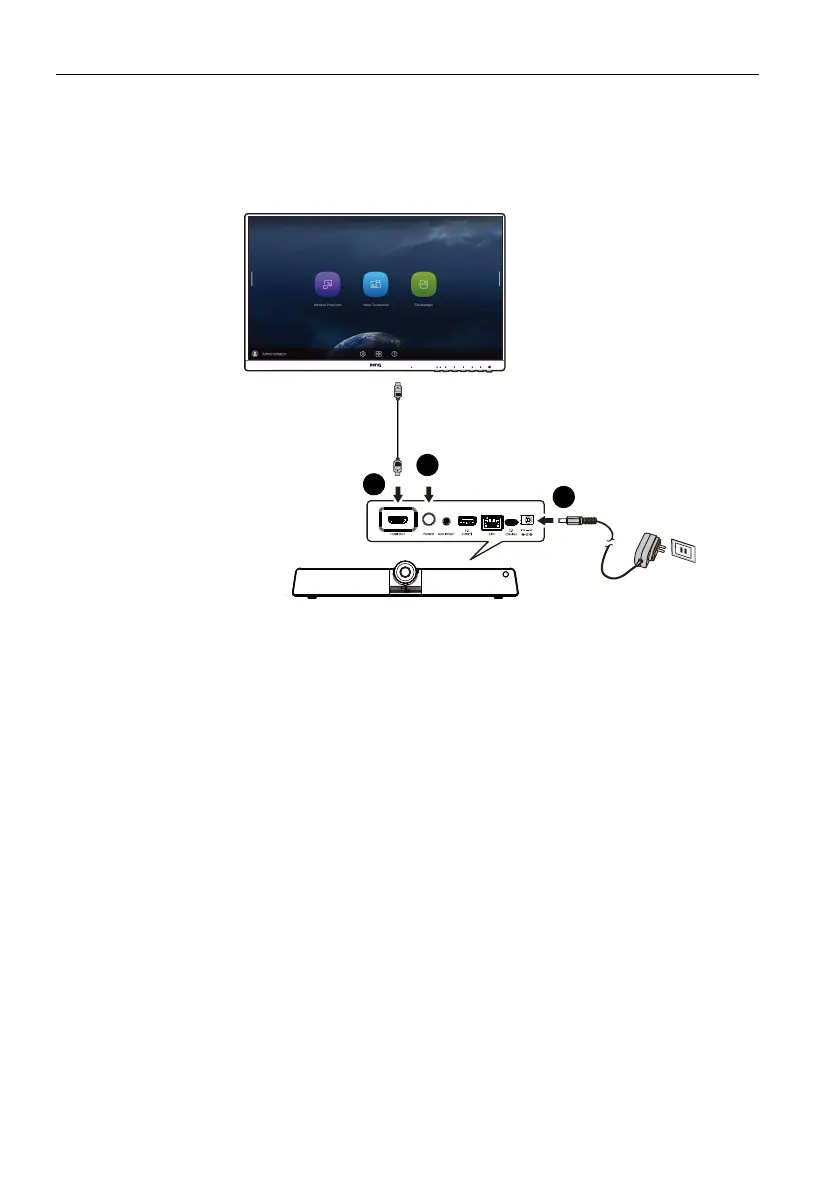
By connecting the product with a HDMI cable, the product functions as your monitor’s
operating system, which serves as your conference camera and offers apps for wireless
projection, collaborative meetings, files management, etc.
To e n a b l e All-in-one mode:
1. Connect power to the product.
2. Connect the product to the monitor through a HDMI cable.
3. Power on the product.
4. To share the screen of your own device (such as laptop, tablet or smartphone) to
the display wirelessly, refer to Project wirelessly via InstaShare 2 on page 32 for
more information.



 To Next Page