Menu operations 23
Menu operations
• Press /// on the remote control and press OK to confirm or directly click an
item.
• Press on the remote control or click a blank area outside the menu to exit the
menu.
Setting up the Internet connection
Your display must be connected to a network to conduct OTA updates or surf the
Internet.
Network setting
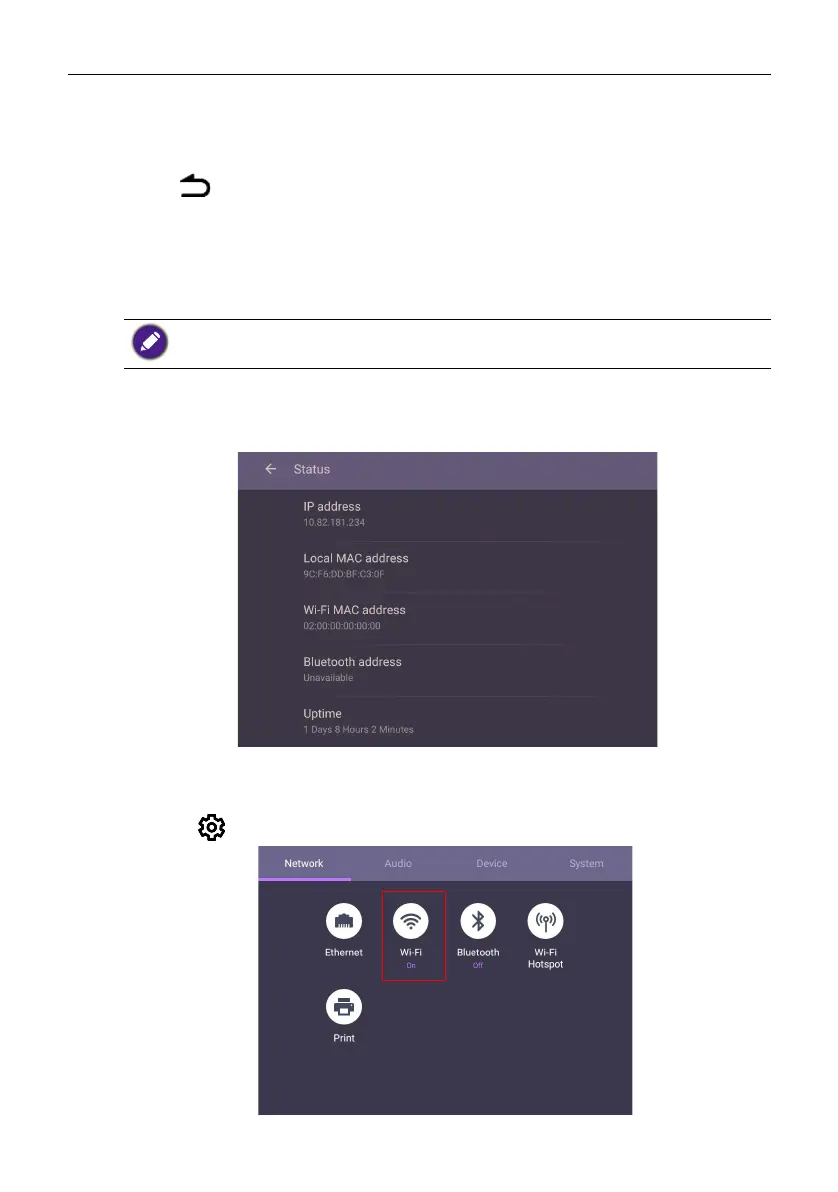
On the home screen, go to Setting > System > About > Status. If there is no IP
address shown, please connect the display to the ethernet cable.
Wireless connection
To make sure the product is connected to Wi-Fi, follow the steps below:
1. Press on the remote control, or go to Network > Wi-Fi.
To find the MAC address in Android OS, please go to Setting > System > About >
Status.



 To Next Page