Android system interface 19
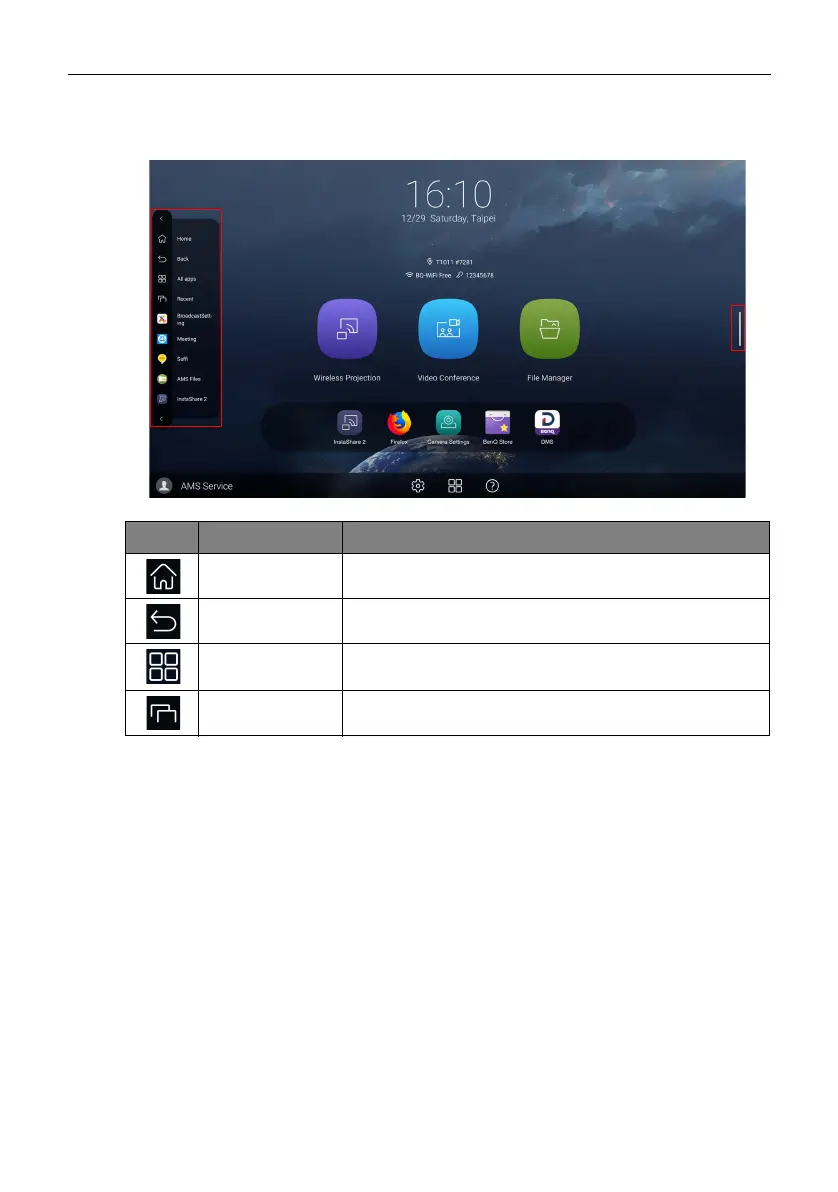
Side tool bar
Tap the side bars at the left or right of the Android main interface to access the side tool
bar.
Icon Function Description
Home Tap to return to the main interface.
Back Tap to return to the previous screen.
All Apps Tap to show all apps. Refer to Apps on page 30 for more
information.
Recent Tap to show recently opened apps in list.



 To Next Page