Operation
22
Operation
Starting up the projector
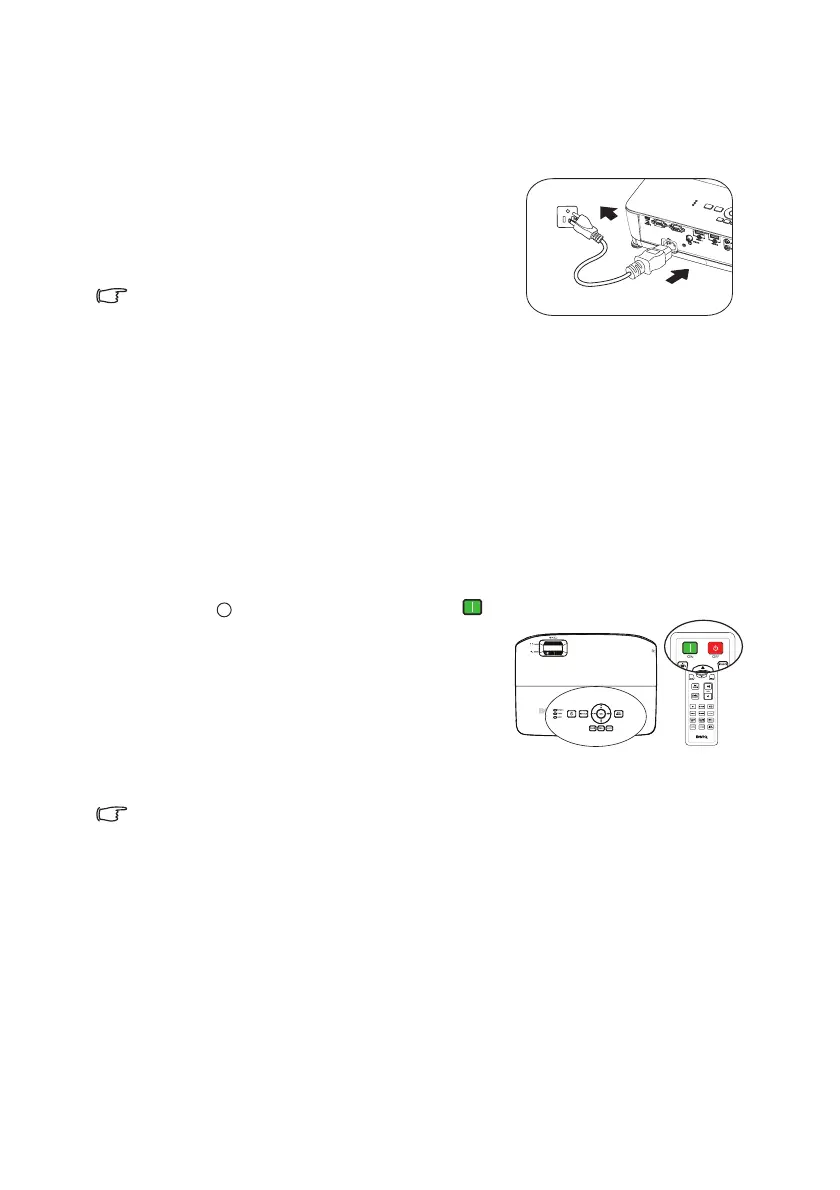
1. Plug the power cord into the projector and
into a power outlet. Turn on the power
outlet switch (where fitted). Check that the
POWER indicator light on the projector
lights orange after power has been applied.
• Please use the original accessories (e.g.
power cable) only with the device to
avoid possible dangers such as electric shock and fire.
•
If Direct Power On function (in the Advanced menu > System Setup: Basic)* is
activated, the projector will turn on automatically after the power cord has been
connected and power has been applied.
See "Direct Power On" on page 54
for details.
•
*There are two menu types for your selection. One is Basic, and the other is
Advanced. From the Basic menu, you can select Menu Type when the projector
is without input signal. From the Advanced menu, you can select Menu Type in
the System Setup: Basic > Menu Settings menu. See "Using the menus" on page
25 for details.
2. Press POWER on the projector or
ON on the remote control to start the
projector. The POWER flashes and stays
orange when the projector is on.
The start up procedure takes about 30
seconds. In the later stage of start up, a
startup logo is projected.
(If necessary) Rotate the focus ring to adjust
the image clearness.
If the projector is still hot from previous activity, it will run the cooling fan
for approximately 90 seconds before energizing the lamp.
3. If the projector is activated for the first time, select your OSD language
following the on-screen instructions.
4. If you are prompted for a password, press the arrow keys to enter a six digit
password. See "Utilizing the password function" on page 28 for details.
5. Switch all of the connected equipment on.
6. The projector will start to search for input signals. The current input signal being
scanned displays in the screen. If the projector doesn't detect a valid signal, the
message 'No Signal' will continue displaying until an input signal is found.
You can also press Source on the projector or remote control to select your
desired input signal. See "Switching input signal" on page 30 for details.



 To Next Page