Operation 25
Using the menus
The projector is equipped with On-Screen Display (OSD) menus for making various
adjusents and settings. There are two menu types for your selection. One is Basic,
and the other is Advanced.
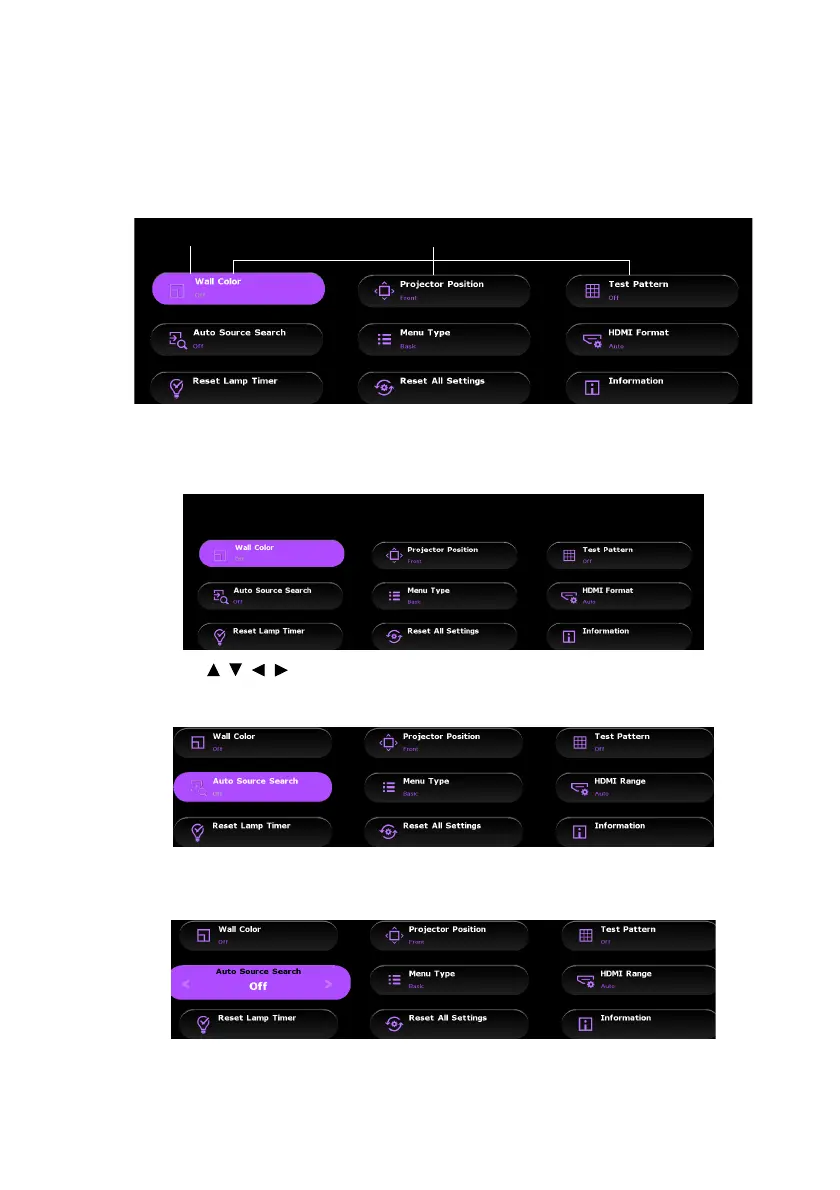
Below is the overview of the Basic menu -- without input signal.
The following example describes how to set the OSD menu in the Basic menu.
1. Press MENU to turn the OSD menu on.
2. Use /// to select the desired item and press OK to confirm the
selection.
3. Follow the on-screen instructions to select your settings.
4. Press MENU to leave and save the settings.
Menu item
Highlight



 To Next Page