Connection
When connecting a signal source to the projector, be sure to:
1.
Turn all equipment off before making any connections.
2.
Use the correct signal cables for each source.
3.
Make sure the cables are firmly inserted.
• In the connection illustrations shown below, some cables may not be included with the projector (see
Shipping contents). They are commercially available from electronics stores.
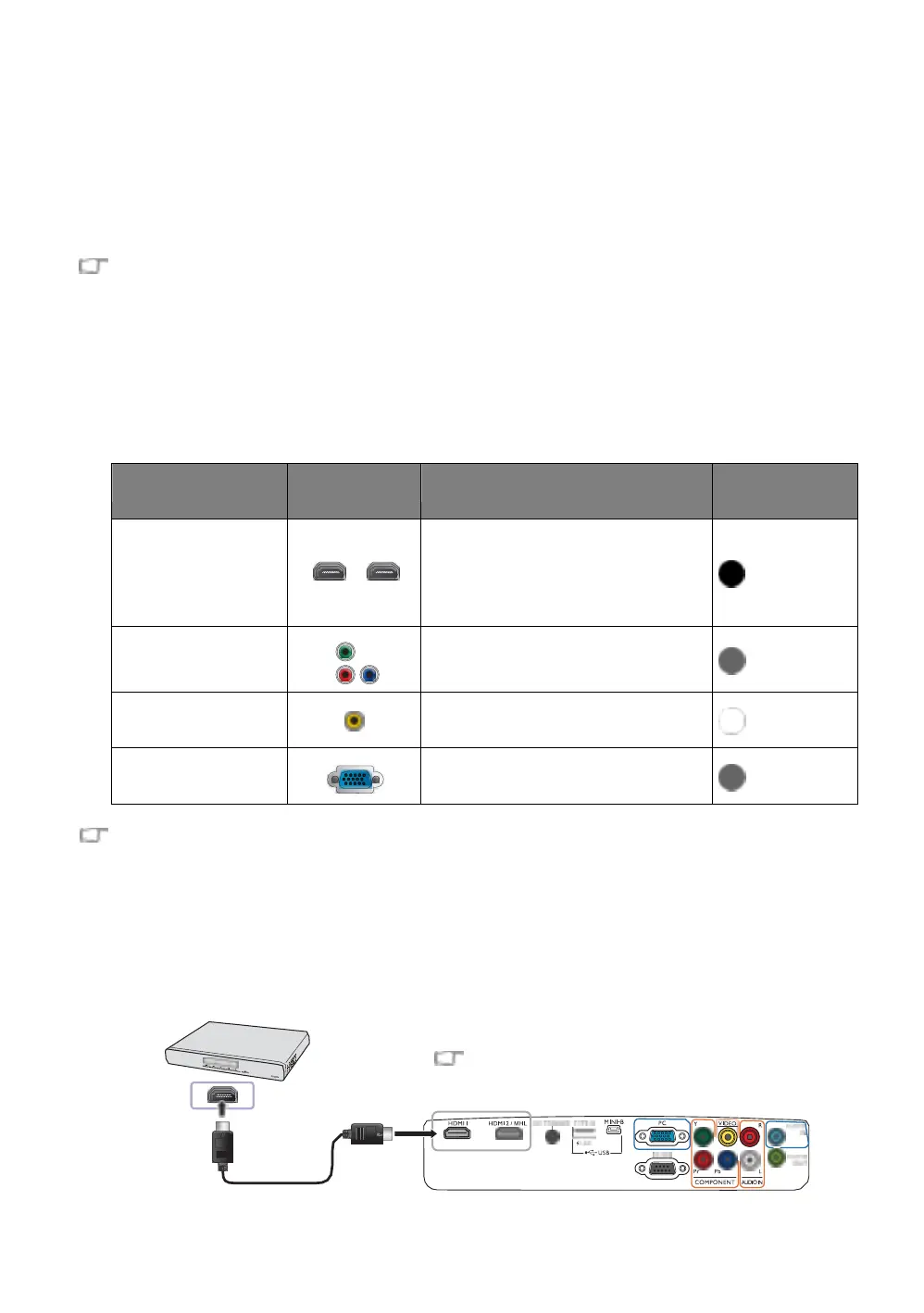
Connecting with video equipment
You need only connect the projector to a video source device using just one of the connecting methods.
Each video source provides different picture quality. The method you choose most likely depends upon
the availability of matching terminals on both the projector and the video source device as described
below:
HDMI1
HDMI2/MHL
HDMI3/MHL
•
Connecting HDMI devices
•
Connecting smart devices
•
Connecting a wireless Full HD Kit
(WDP02)
Connecting component video devices
In the connection illustrations shown below, some cables may not be included with the projector (see
Shipping contents). They are commercially available from electronics stores.
Connecting HDMI devices
HDMI (High-Definition Multimedia Interface) supports uncompressed video data transmission between
compatible devices like DTV tuners, DVD players, Blu-ray players and displays over a single cable. You
should use an HDMI cable when making a connection between the projector and HDMI devices.
HDMI device: DVD player, digital tuner, etc.
To make sure you select a correct input source type
for the HDMI signal, see
HDMI Settings for details.


 To Next Page