Connecting video devices
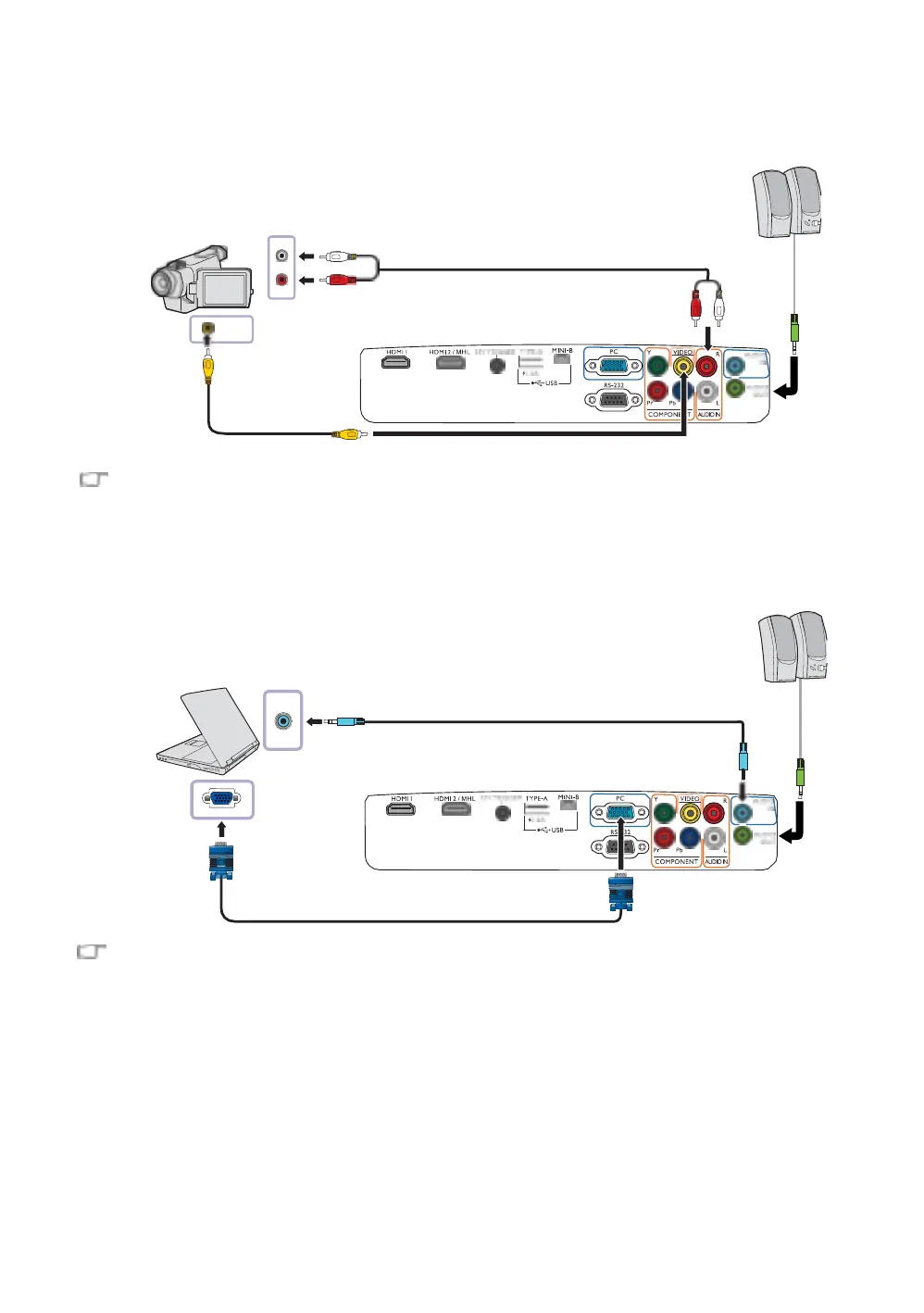
Connect your video device to the projector with a composite video cable.
composite video cable
If the selected video image is not displayed after the projector is turned on and the correct video source has
been selected, check if the video source device is turned on and operating correctly.
Connecting a computer
Connect the projector to a computer with a VGA cable.
Many laptops do not turn on their external video ports when connected to a projector. Usually a key
combination like Fn + F3 or CRT/LCD key turns the external display on/off. Locate a function key labeled
CRT/LCD or a function key with a monitor symbol on the laptop. Press Fn and the labeled function key
simultaneously. Refer to your laptop's documentation to discover your laptop's key combination.
Laptop or desktop computer


 To Next Page