Menu Functions
About the OSD Menus
To let you make various adjustments or settings on the projector and the projected image, the projector
is equipped with 2 types of multilingual On-Screen Display (OSD) menus:
•
Basic OSD menu: provides primary menu functions. (See Using the Basic OSD menu)
•
Advanced OSD menu: provides full menu functions. (See Using the Advanced OSD menu)
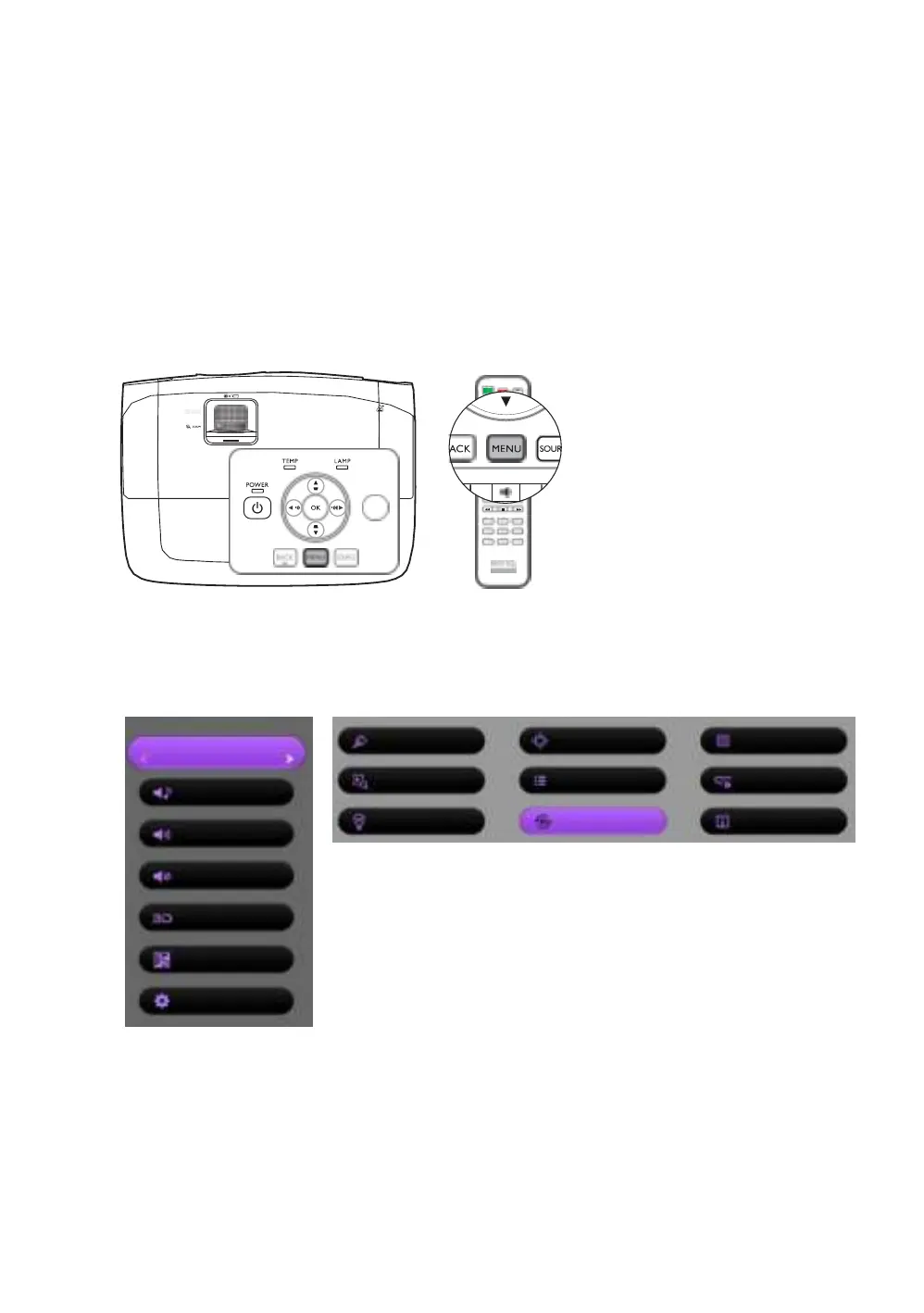
To access the OSD menu, press MENU on the projector or remote control.
The first time you use the projector (after finishing the initial setup), one of the following Basic OSD
menu overviews will be displayed, depending on whether or not a video signal is connected.
•
Input signal connected • No input signal connected
Picture Mode
Vivid
Sound Mode
Standard
Volume
10
Mute
Off
3D Mode
3D Off
3D Sync Invert
Press OK
Settings
Press OK


 To Next Page