No event If, at step B, the logger is empty (no
events), the display will show the LOG-
GER EMPTY message.
Delete Logger Use the Delete Logger option in the MODIFYING menu to delete the Log-
ger contents.
Logger data
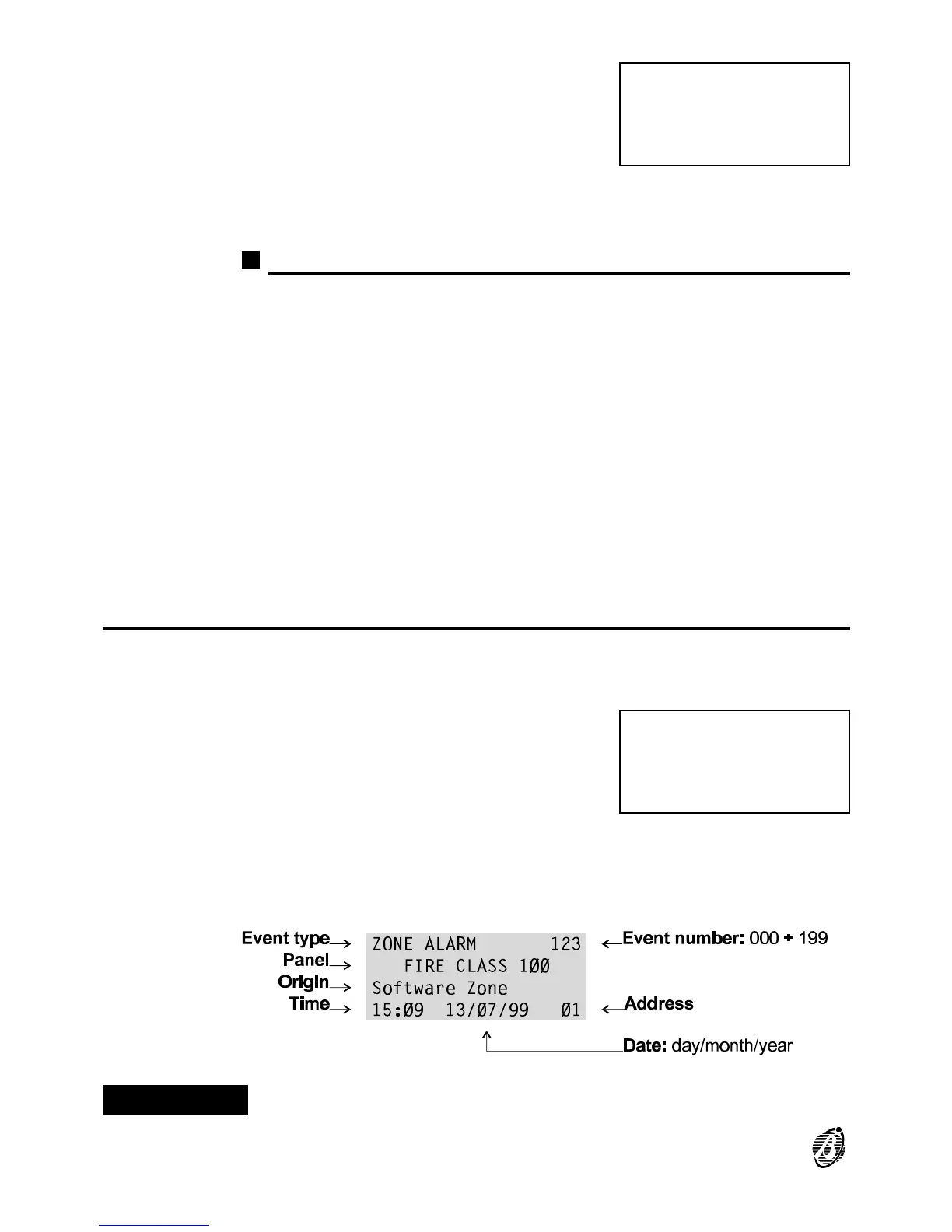
The following data is stored in the Logger (see fig. 5).
Event Type This is the description of the event.
Event Number This is the event number from 0 through 199.
Panel This is the Control panel or Repeater label assigned during programming.
Origin This is the label of the Item which generated the event.
Hour/Date This is the exact time and date of the event.
Address This is the address of the Item which generated the event.
Print
The Print option from the READINGS menu prints all the logger contents
on the connected printer.
A Select the Print option from the REA-
DINGS menu (press 5) or press ESC to
step back to the MAIN menu.
ØØØ
LOGGER
EMPTY
READINGS:
1=Dev./Zones/Outputs
2=Opt.3=Ver. 4=Log.
5=Print 6=M.Telecom
Figure 5 Logger data
30 Analogue Fire Control Panel FireClass100









 To Next Page