43 Bentone
14. Mounting
14.1 Preparation
Type dTRON Panel cut-out
703041 316, in 48 mm x 48 mm format 45 +0,6 x 45 +0,6mm
703042/43 308, in 48 mm x 96 mm format (portrait)/
(landscape)
45 +0,8 x 92 +0,8 mm
703044 304, in 96 mm x 96 mm format 92+0,8 x 92+0,8 mm
14.2 Fitting in position, Type
703042/43/44
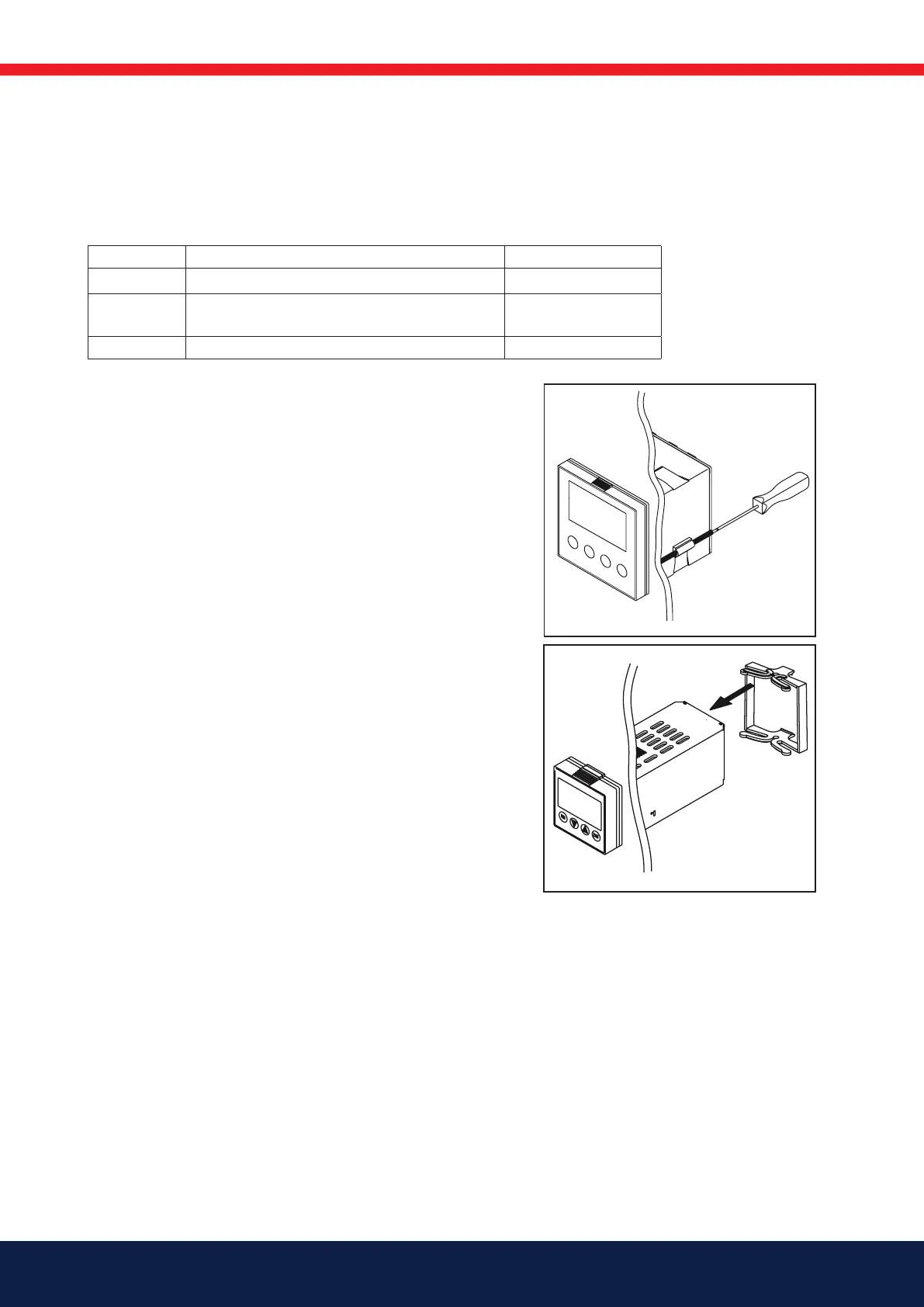
• Fit the seal that is supplied onto the instrument body.
• Insert the controller from the front into the panel cut-out.
• From behind the panel, slide the mounting brackets into
the guides on the sides of the housing. The flat faces of the
mounting brackets must lie against the housing.
• Push the mounting brackets up to the back of the panel,
and tighten them evenly with a screwdriver.
14.3 Fitting in position, Type 703041
• Fit the seal that is supplied onto the instrument body.
• Insert the controller from the front into the panel cut-out.
• From the back of the panel, push the mounting frame onto
the instrument body and press it against the back of the
panel, compressing the springs, until the latches snap into
the notches provided and it is firmly fixed in position.



 To Next Page