47 Bentone
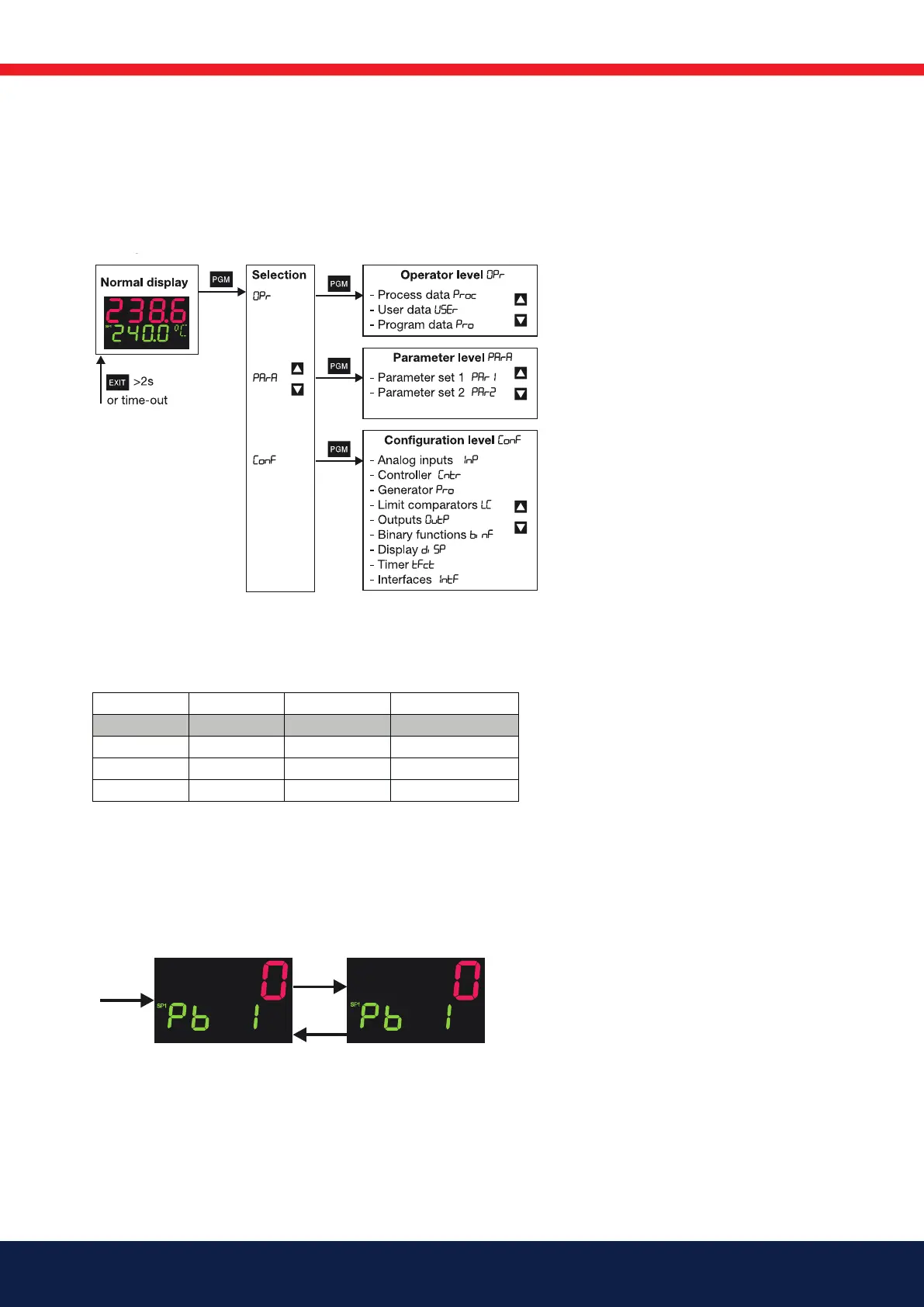
The diagram below shows the three instrument levels.
H
17. Operation
17.1 Level concept
The diagram below shows the three instrument levels.
Time-Out
If no key is pressed for 30 sec, the
instrument returns to normal display.
h Press
P and D simultaneously for >5 sec to enter the code.
h Alter code with
P (display blinks)
h Enter code with I and D
h Return to normal display with X or automatically after approx. 30 sec
6.3 Entering values
When entries are made within the levels, the parameter symbol is shown in the
lower display.
h Select parameter with I or D
h Change to the entry mode with P (lower display blinks)
h Alter value with I and D
The value alters dynamically with the duration of the key stroke.
h Accept the setting with P or automatically after 2 sec
h or
h Cancel entry with X.
The value is not accepted.
Code Operator level Parameter level Configuration level
0 enabled enabled enabled
1 enabled enabled inhibited
2 enabled inhibited inhibited
3 inhibited inhibited inhibited
ID/
P
IIIIIIIIIIII
I
I
I
I
I
I
I
I
I
I I I I I I I I I I I I I
I
I
I
I
I
I
I
I
I
I
D
Select parameter
Alter parameter
17.2 Level inhibit
The access to the individual levels can be inhibited by entering a code number.



 To Next Page