24
Bentone
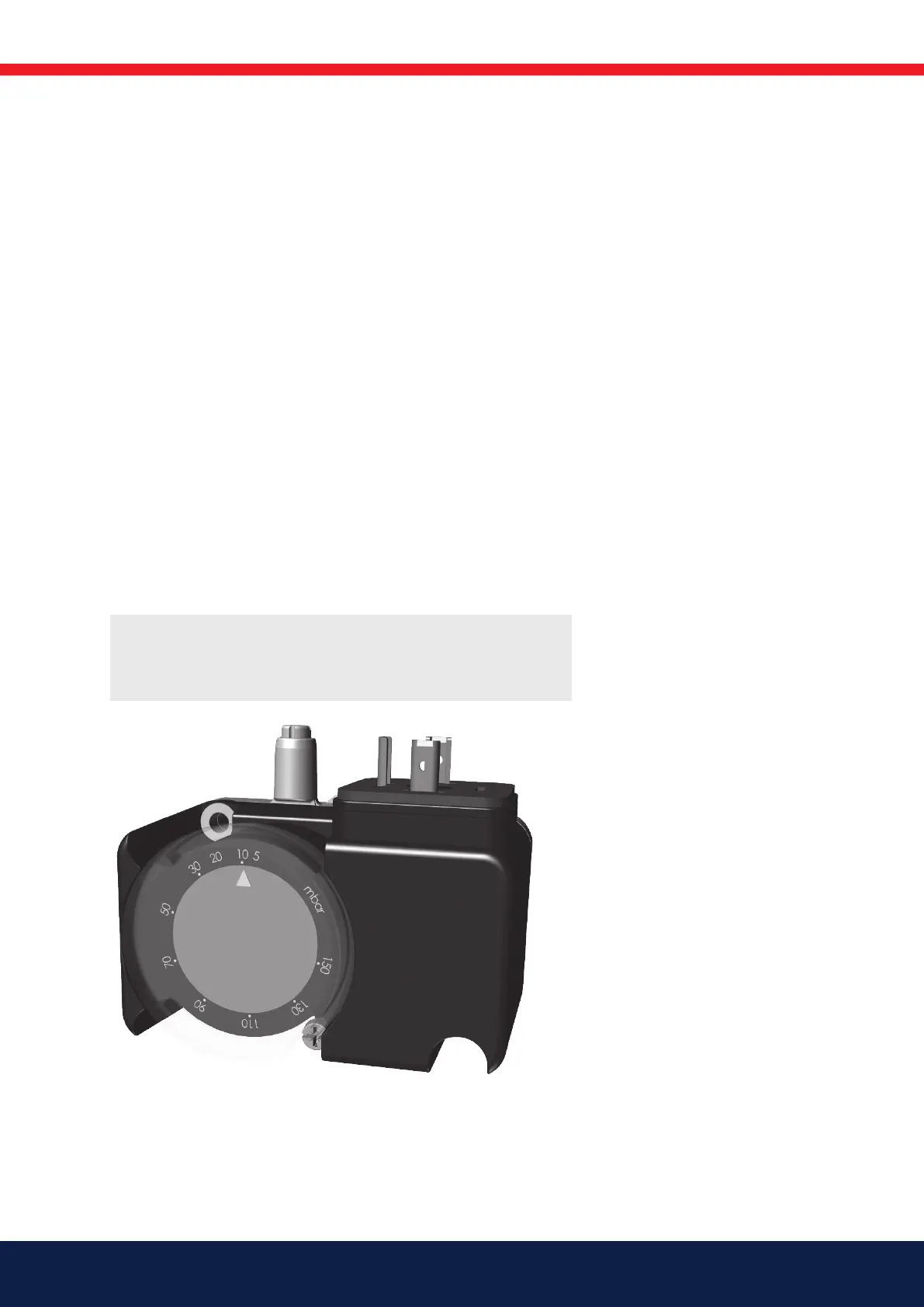
6.6 Setting the gas pressure switch, min.
The gas pressure switch must react to too low a connection pressure to
the burner, prevent the burner from starting and stop the burner during
operation. The burner may start again when the connection pressure has risen
above the set pressure on the gas pressure switch.
1. Remove protective cover.
2. Open measuring socket and connect a manometer for measuring
connection pressure.
3. Start the burner.
4. Measure and note the connection pressure to the burner at the
highest input power.
5. Set the gas pressure switch to a value 10-15% lower than the noted
pressure.
6. Check the setting by carefully closing the ball valve and at the same
time measuring the connection pressure.
7. When the gas pressure switch stops the burner, the measured value
must approximately correspond to the setting on the gas pressure
switch.
8. Open ball valve.
9. Remove manometer and close measuring socket.
10. Ret protective cover.
172 535 12-2
!
Check gas tightness.



 To Next Page