INSTALLATION INSTRUCTION
22
If after having pressed “Set/esc” no change is made for 10 seconds (because the desired value is already set), the
operation of the board returns to Readout mode.
If after having pressed “+” or “-” no other button is pressed for at least one minute, Readout mode resumes. If this
happens, the new value is not saved.
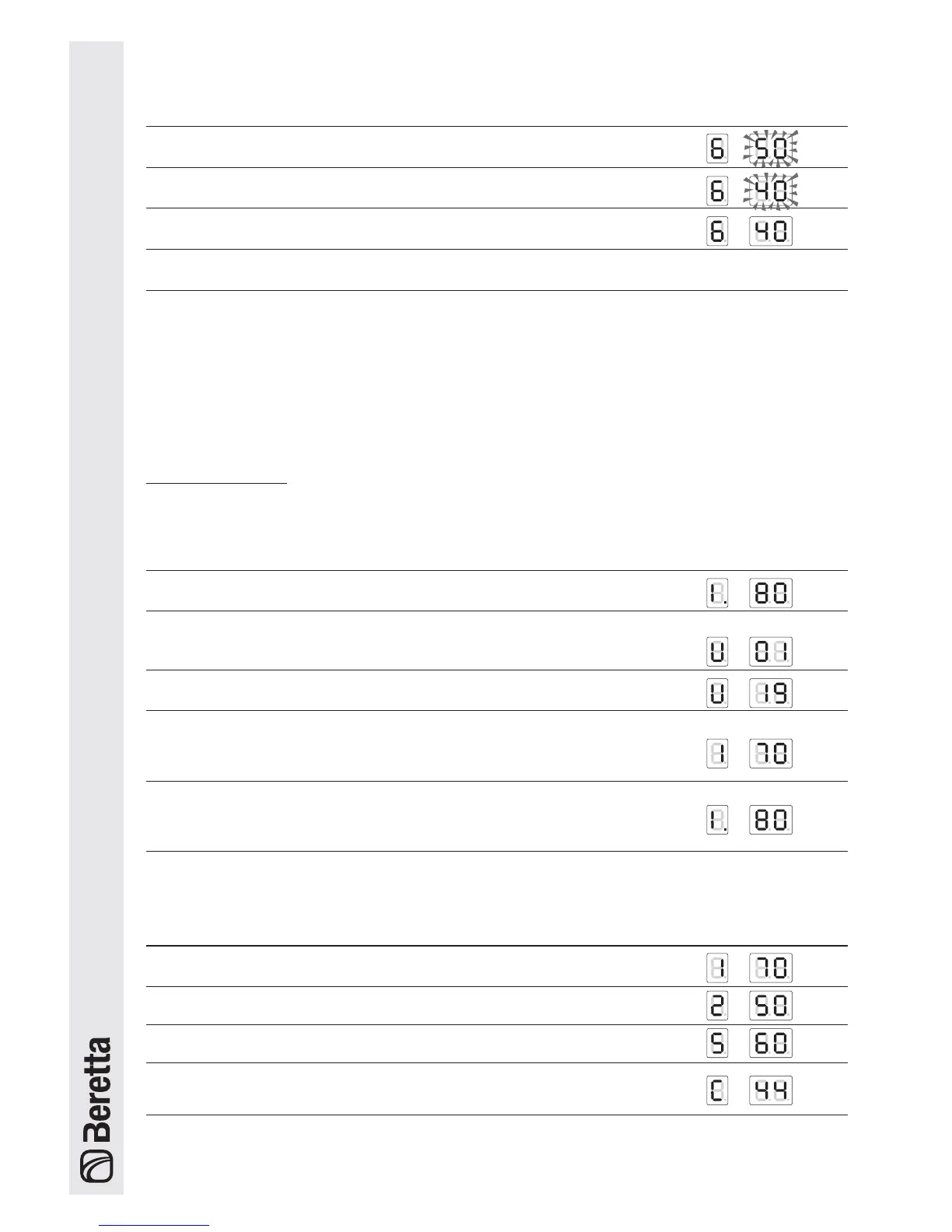
Procedure Display
3 Press “Set/esc”
4 Press “
-” to change the set point to the desired value. E.g.: 40°C.
5 Press “OK” to save the new value
6 After 3 seconds Display mode resumes, with the new value set.
MONITOR MODE
From Readout mode: press “Set/esc” for 5 seconds to access "Monitor" mode. This mode is used to check the operating
values of each individual unit in the system (addresses from 1 to 60).
Operation Display
1 The boiler is operating with the high temperature circuit at 80°C
2 Press “Set/esc” for 5 seconds. The display indicates that the values
and the operating status of unit 1 can be read.
3 Press “
+” or “-” to scroll and read the number for the desired unit.
4 Pressing “[” on the display shows the 1st value for the selected unit.
Pressing the “[” button again displays the following values.
Es.temperatura di mandata a 70°C
5 To exit Monitor mode, press “Set/esc”.
If within 5 minutes no button is pressed or no operation is performed,
Display mode resumes.
Value Display
1 Outlet temperature E.g.: 70°C
2 Return temperature E.g.: 50°C
3 Flue gas temperature E.g.: 60°C
4 Ionisation current (index from 0 to 99)
E.g.: ionisation current index 44
Press “[” to display the subsequent values for the individual unit:






 To Next Page