INSTALLATION INSTRUCTION
40
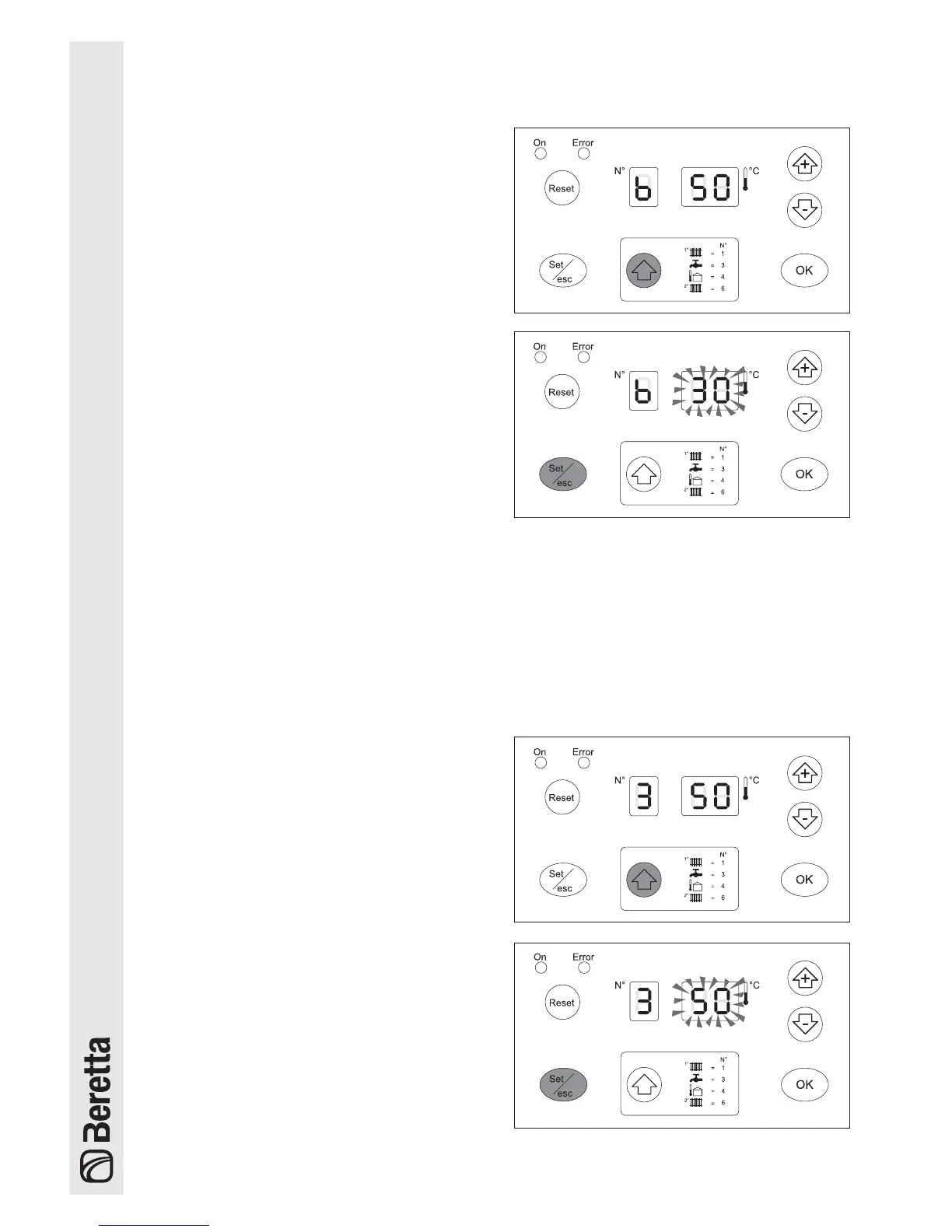
- Press the “[”button four times: the maximum tempe-
rature in the low temperature circuit will be displayed,
preceded by the symbol "6".
- Press “Set/esc”: the corresponding set point will be
displayed and the two digits on the right will flash. To
change the value, press “+” or “-”.To confirm press
“OK”.
b For low temperature systems, select a temperature
between 20°C and 45°C.
When setting the system as "Low temperature", the
maximum outlet temperature will be limited at 50°C
(Par. 23=T_CH_Low_limit).
b Changing the outlet temperature modifies the cli-
mate control curve (see the paragraph "Setting the
temperature controller"). These settings must only
be performed by BERETTA or a suitably qualified
person.
- Press “[”button twice: the DHW temperature will be
displayed, preceded by the symbol "3".
- Press “Set/esc”: the corresponding set point will be
displayed and the two digits on the right will flash. To
change the value, press “+” or “-”. To confirm press
“OK”.
The boiler will start in DHW mode, until the demand is
satisfied.
If the boiler is connected to a storage heater, set parameter 6 (pre-set to 0=no DHW service).
To do this, access "Installer programming" mode and set parameter 6 to:
2 = for storage heater with probe
6 = for storage heater with thermostat.
In addition, set parameter 9 (DHW_Priority) to 2 for absolute priority.
If the storage heater is fitted with an NTC probe, the desired temperature can be set on the display, from 10°C to 60°C.
If the storage heater is fitted with a thermostat, the desired temperature should be set directly on the storage heater,
while parameter 3 must be left at 50°C.






 To Next Page