50
5.5.2 Setting Remote Stop command
Only in hardwired control mode (i.e. not in bus mode), remote stop
allows to stop the actuator both in normally open and normally
closed configurations. Remote stops are performed by opening a
contact (whereas the open or close command is made by closing a
contact).
How to set the remote stop command
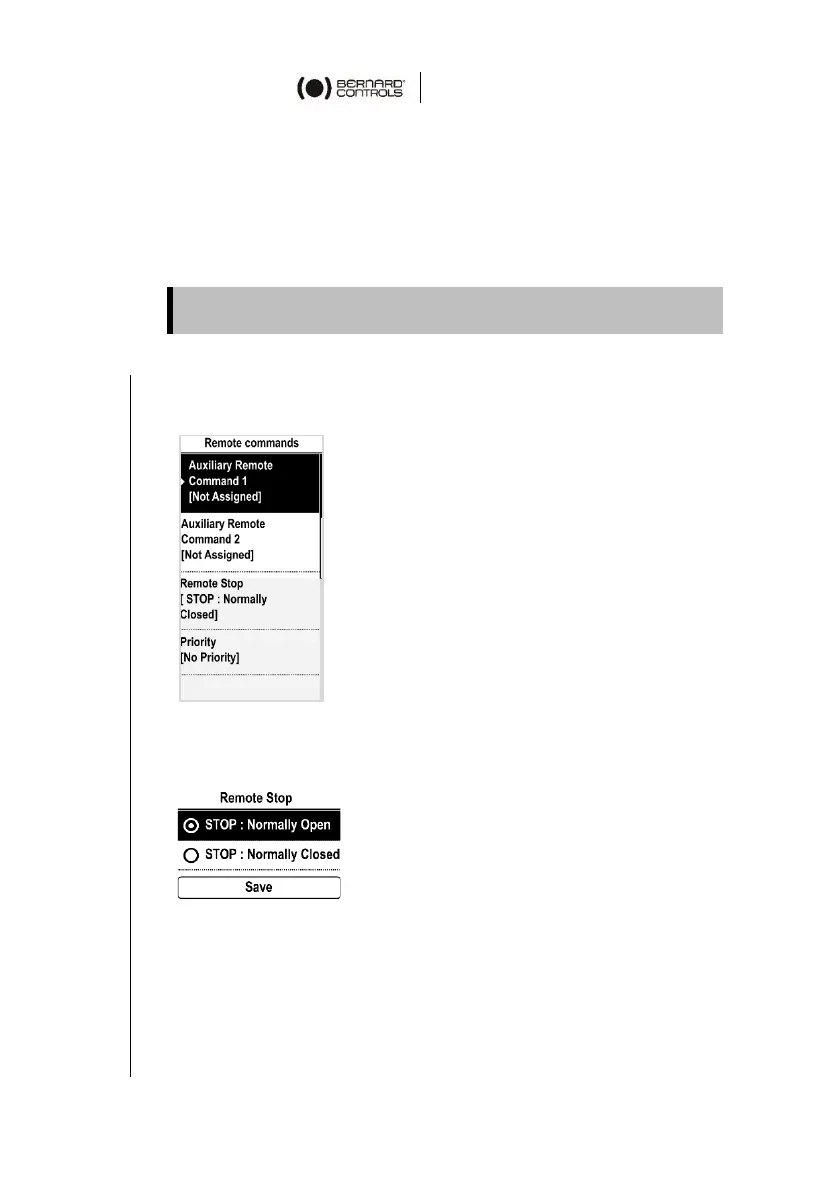
1. Navigate in the menu to Settings > Remote Commands.
The following screen appears.
2. Go down in the menu, select Remote Stop and validate with
OK on the left knob.
The following screen appears.
3. Select the STOP mode: Normally opened or Normally closed.
4. Go down to Save and validate with OK on the left knob.
The confirmation screen appears.
5. Select YES and validate.


 To Next Page