Sewing preparation
37
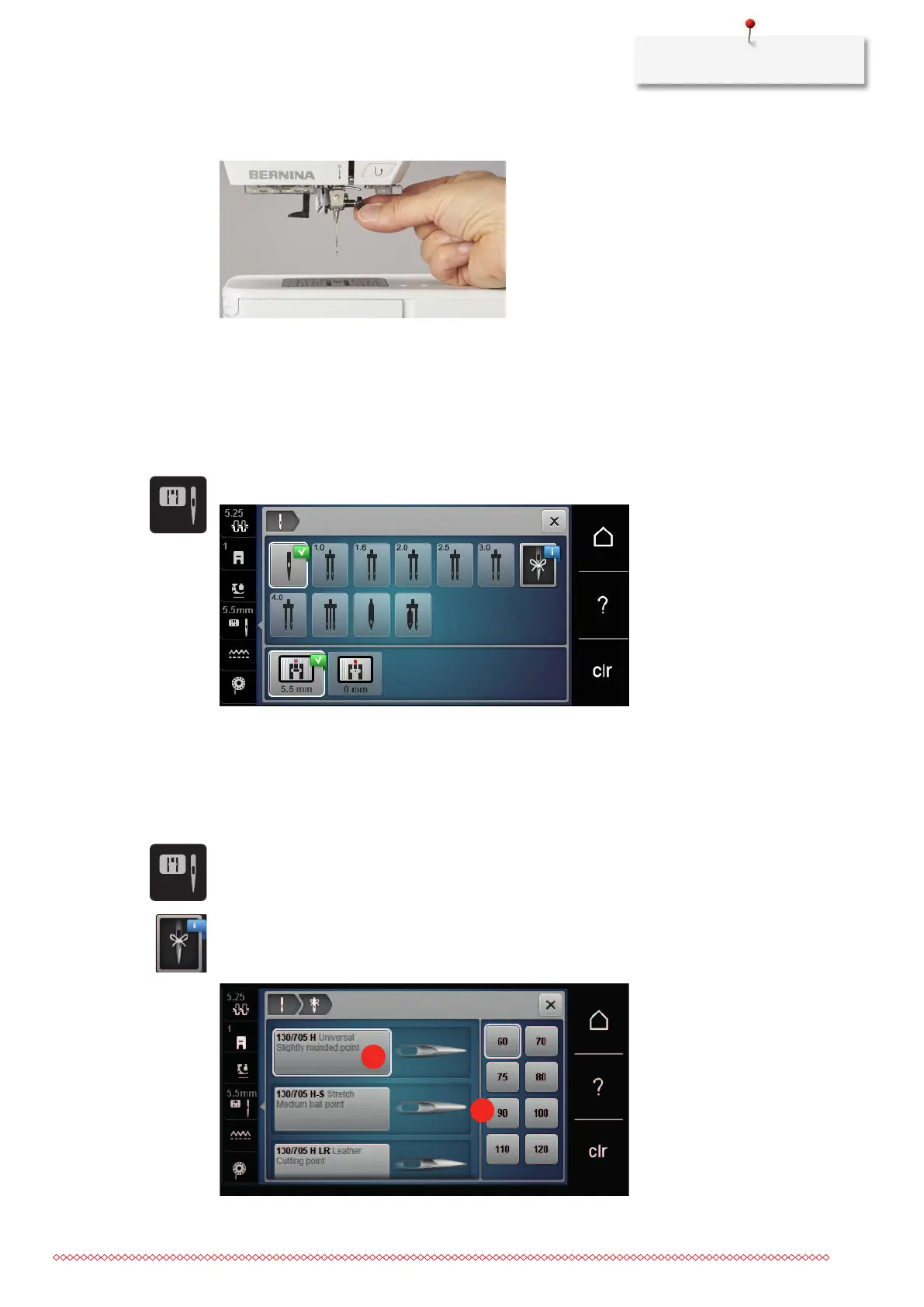
> Loosen the fixing screw of the needle manually.
> Pull the needle down.
> Hold the new needle with the flat side to the back.
> Insert the needle as far as it will go.
> Tighten the fixing screw manually.
Selecting the needle in the User Interface
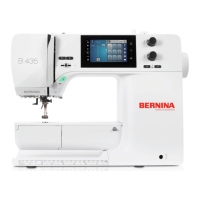
After changing the needle, you can check whether this can be used with the selected stitch plate.
> Tap «Stitch Plate/Needle Selection».
> Select the fitted needle.
Selecting the needle type and the needle size
Useful reminder function: So that no information is lost, the needle type and needle thickness can also be
saved on the machine. This means that the saved needle type and needle thickness can be checked at any
time.
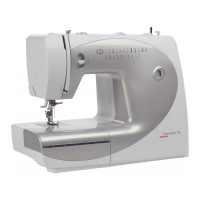
> Tap «Stitch Plate/Needle Selection».
> Tap «Needle Selection».
> Select the needle type (1) of the fitted needle.
> Select the needle thickness (2) of the fitted needle.











 To Next Page